
PassLok Privacy Chrome 插件, crx 扩展下载

High security asymmetric encryption and steganography for text, files and chat.
TAKE PRIVACY INTO YOUR OWN HANDS
End-to-end secure encryption, plus steganography for email and real-time chat. Now in its 10th anniversary.
PassLok does not use servers that might compromise your information. Everything is done offline.
PassLok stores nothing secret, not even in your device.
This app is compatible with PassLok for Email (especially in Email mode), to be added shortly to the Chrome store. Use it if your email service is not yet supported by PassLok for Email.
With PassLok, you can:
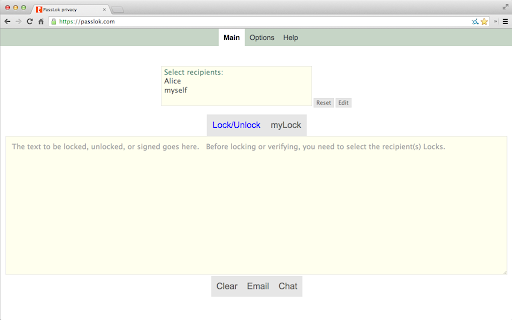
- Write messages than only the intended recipient can read.
- Do this without having established a secret password.
- Lock files and images as easily as text.
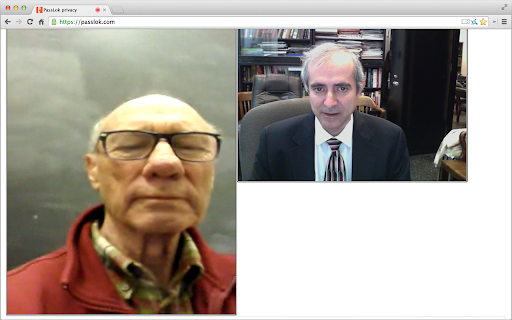
- Establish a real-time peer-to-peer chat involving text, files, audio, and video
- Digitally sign text, images, and files so others can be sure they come from you.
- Convert your favorite email or texting app into a secure communication channel.
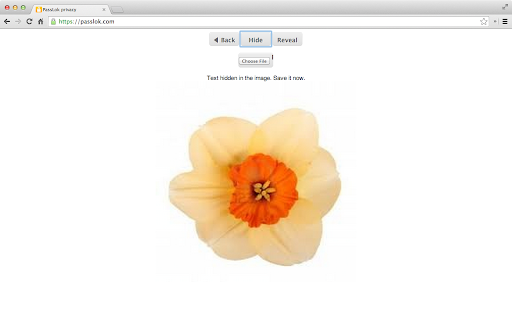
- Hide private information as apparently innocent text, or inside images.
- Use Decoy mode, so your true message is not what it appears to be.
- Create messages that can only be read once.
- Communicate across platforms, even without a network.
- Send confidential mailings to several people at the same time.
- Use a borrowed device, in case yours is bugged.
- Be as paranoid as you like. We are really paranoid, and this is why we developed PassLok.
PassLok uses 255-bit standard elliptic curves, which have been vetted against weaknesses by experts. On top of that, PassLok uses 256-bit XSalsa20 encryption and 512-bit hash functions to complete the locking process. XSalsa20 is a high-performance, open source cipher, which has been scrutinized by experts for nearly a decade without any practical weaknesses being found.
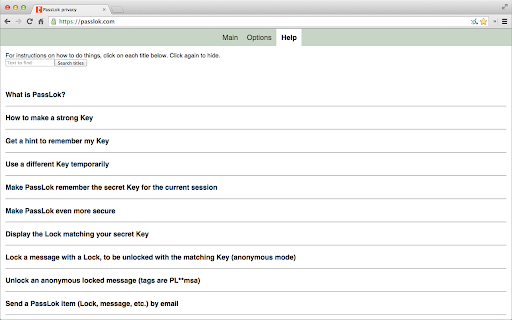
The first time you run PassLok, it helps you to come up with a strong text-based secret Key, which can be whatever you want it to be. PassLok places no restrictions to make sure that you can always remember your Key without ever having to write it down.
From your secret Key, PassLok creates a Lock, which is like a phone number that you give to the people you wish to send messages to you. They will "put your Lock" on those messages, and only your Key, which you have given to no one, will be able to unlock them. Optionally, you can post your Lock on the PassLok general directory, adding a video so people know the Lock is genuine.
This is the Chrome app version of PassLok, essentially identical to the versions released for PCs and mobile platforms. In addition, there is a pure html version of PassLok at the following mirrors:
https://passlok.com/app
https://www.autistici.org/passlok
https://passlok.site44.com
If you want to check them out, you should get the source by doing ctrl-u or cmd-opt-u, get its SHA256 with an external program or web page, and compare it with the value below. This is not necessary for app store versions like this one, which are code-signed by the app store.
This is the SHA256 of the single-file version of the app, which can be found with the above links:
7032-4213-5320-3420-550a-ef09-d42d-3510-adaa-f3a9-f6e0-6ec0-24eb-cea4-264d-b89e
See the developer reading this in a video: https://www.youtube.com/watch?v=OvMr1VStieU
| 分类 | 🔒隐私 |
| 插件标识 | epcchpdljafmfegifkigklfcmkphfmbh |
| 平台 | Chrome |
| 评分 |
★★★☆☆
3.4
|
| 评分人数 | 7 |
| 插件主页 | https://chromewebstore.google.com/detail/passlok-privacy/epcchpdljafmfegifkigklfcmkphfmbh |
| 版本号 | 2.6 |
| 大小 | 265KiB |
| 官网下载次数 | 634 |
| 下载地址 | |
| 更新时间 | 2024-11-27 00:00:00 |
CRX扩展文件安装方法
第1步: 打开Chrome浏览器的扩展程序
第2步:
在地址栏输入: chrome://extensions/
第3步: 开启右上角的【开发者模式】
第4步: 重启Chrome浏览器 (重要操作)
第5步: 重新打开扩展程序管理界面
第6步: 将下载的crx文件直接拖入页面完成安装
注意:请确保使用最新版本的Chrome浏览器
同类插件推荐

Lock My Chrome
Lock my chrome, need password when open chrome wit

SeeOnce Privacy
High strength end-to-end encryption with perfect f

Privacy Guardr
An extension to help you make informed decisions a
PassLok Privacy
High security asymmetric encryption and steganogra

CryptoPass
Generate different passwords from single master pa
FusionKey
High-security passwords and encryptionTAKE PRIVACY
PassLok Image Steganography
The reigning champion of image steganographyStegan
PassLok for Email
High security encryption for email. PassLok is in

Privacy Manager
Manage privacy settings, browsing data deletion, q
File Guard (Encryptor | Decryptor)
Encrypt or decrypt any file with just one click in

Chrome Close Lock
Prevent Chrome from closing without warning.This e

Lock for Google Chrome™
Locks chrome after a chosen amount of time.User sp

PassBrow: Browser Password/Site Blocking
Protect your browser with a synced password on any