
SeeOnce Privacy Chrome 插件, crx 扩展下载
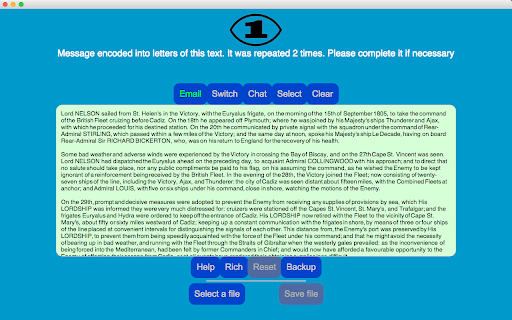
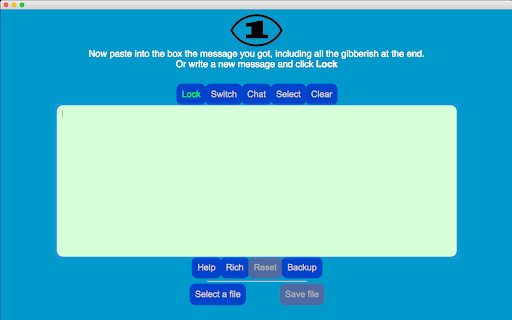
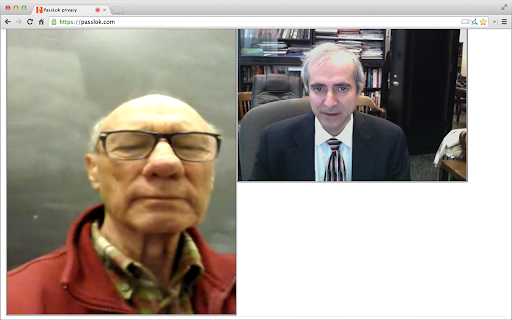
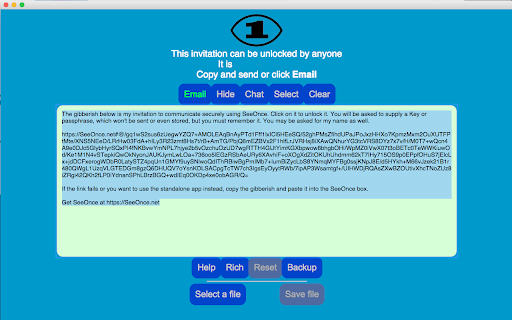
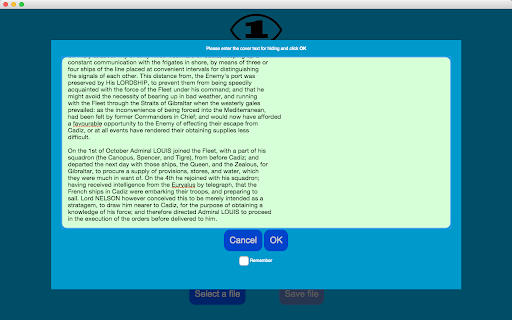
High strength end-to-end encryption with perfect forward secrecy for your favorite email, plus real-time secure chat
SeeOnce encrypts your email messages so they self-destruct after the recipient has read them. It does this without involving any servers or forcing you to make an account anywhere. You can keep using your preferred email.
All other apps and extensions store your private content somewhere. SeeOnce does not do this; instead, it achieves forward secrecy by changing encryption keys with every message. This way, you don't have to trust anybody.
When you get a locked message, just paste it into the extension and it will open automatically. Then you can reply directly from within the extension.
Your friends don't need to have this extension. Messages open in a webpage just by clicking them. They can do this on an Android smartphone if necessary.
Some people live in places where using encryption is itself compromising. This is why the extension can disguise its output so it looks like normal text. Just supply a sufficiently long cover text after the message is locked. Disguised messages also unlock as soon as you paste them in.
If you find yourself exchanging a lot of emails, SeeOnce allows you to switch to real-time chat, which can involve text, files, audio, or even video. Just click the Chat button to make a secure invitation that only your correspondent can open, and then only once.
Comprehensive help is just one click away.
The extension uses 255-bit standard elliptic curves, which have been vetted against weaknesses by experts. On top of that, it uses 256-bit XSalsa20 encryption and 512-bit hash functions to complete the locking process. XSalsa20 is a high-performance, open source cipher, which has been scrutinized by experts for nearly a decade without any practical weaknesses being found.
This is the Chrome extension version of SeeOnce, essentially identical to the web version, except that it syncs its data seamlessly between machines.
The following is to check the authenticity of the web version:
Current version is: 1.2.12
Main source: https://PassLok.com/SeeOnce
| 分类 | 👥社交 |
| 插件标识 | jbcllagadcpaafoeknfklbenimcopnfc |
| 平台 | Chrome |
| 评分 |
★★★★☆
4.2
|
| 评分人数 | 4 |
| 插件主页 | https://chromewebstore.google.com/detail/seeonce-privacy/jbcllagadcpaafoeknfklbenimcopnfc |
| 版本号 | 1.2.13 |
| 大小 | 135KiB |
| 官网下载次数 | 31 |
| 下载地址 | |
| 更新时间 | 2023-03-24 00:00:00 |
CRX扩展文件安装方法
第1步: 打开Chrome浏览器的扩展程序
第2步:
在地址栏输入: chrome://extensions/
第3步: 开启右上角的【开发者模式】
第4步: 重启Chrome浏览器 (重要操作)
第5步: 重新打开扩展程序管理界面
第6步: 将下载的crx文件直接拖入页面完成安装
注意:请确保使用最新版本的Chrome浏览器
同类插件推荐

Zaif API Proxy
ZaifのAPI串。最初にAPIキーを設定する必要があります!ZaifのWebページ上からの注文がも

Certified Messages
Send secret messages that self destruct!Certified

Keyboard Privacy
Prevents behavioral profiling by randomizing the r

SeeOnce Privacy
High strength end-to-end encryption with perfect f
PassLok Privacy
High security asymmetric encryption and steganogra
SynthPass
High-security password synthesizerSynthPass is a d

PassLok Universal
High security encryption for any email, plus Passw
Doublespeak
Hides/reveals secret messages in text. Optimized f

URSA Privacy
High strength symmetric encryption for your favori
Numici - annotate, collaborate and synthesize
Use Numici to organize, highlight, annotate and sy

hiper.cards - bookmarker, highlighter, tab manager
An app for managing tabs and bookmarks, sharing th

20Q Text Converter with AI
Enhance text editing: remove accents, filter chara

reddit-uhd
Redesigns reddit! Replaces thumbnails and low-res