
Grafana k6 Browser Recorder Chrome 插件, crx 扩展下载
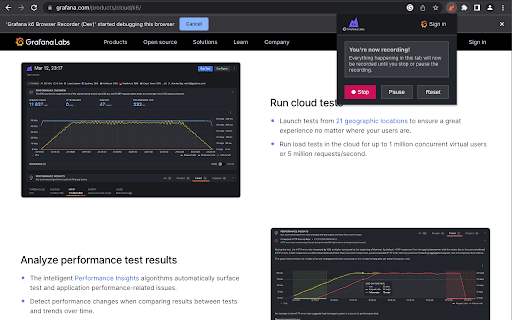
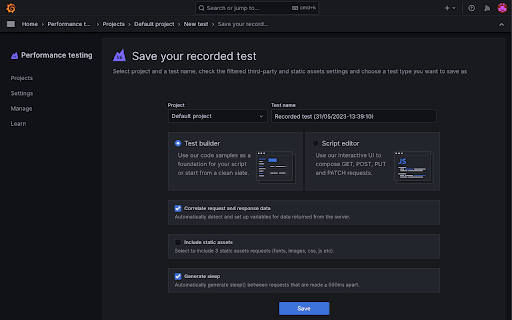
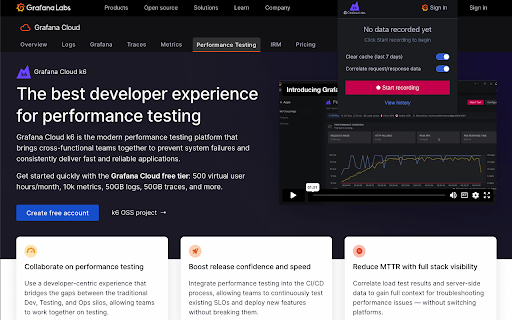
Record k6 scripts right from the browser with the ability to automatically upload them to Grafana Cloud.
The extension records all of the HTTP(S) requests that your browser makes, creates a test script, and allows you to upload the test to your Grafana Cloud account, where a load test can be executed.
Once uploaded to your Grafana Cloud account, you can edit the test script using the powerful high-level language JavaScript. The script editor has syntax highlighting and a linter is run on save to help you avoid syntax errors and other common scripting mistakes.
| 分类 | 💻开发者工具 |
| 插件标识 | fbanjfonbcedhifbgikmjelkkckhhidl |
| 平台 | Chrome |
| 评分 |
★★★★★
5
|
| 评分人数 | 11 |
| 插件主页 | https://chromewebstore.google.com/detail/grafana-k6-browser-record/fbanjfonbcedhifbgikmjelkkckhhidl |
| 版本号 | 1.0.7 |
| 大小 | 928KiB |
| 官网下载次数 | 7000 |
| 下载地址 | |
| 更新时间 | 2025-02-15 00:00:00 |
CRX扩展文件安装方法
第1步: 打开Chrome浏览器的扩展程序
第2步:
在地址栏输入: chrome://extensions/
第3步: 开启右上角的【开发者模式】
第4步: 重启Chrome浏览器 (重要操作)
第5步: 重新打开扩展程序管理界面
第6步: 将下载的crx文件直接拖入页面完成安装
注意:请确保使用最新版本的Chrome浏览器
同类插件推荐

Loadster Recorder Extension
Create test scripts to run in Loadster.The Loadste
Grafana k6 Browser Recorder
Record k6 scripts right from the browser with the

Datadog test recorder
Record end-to-end tests in your browser.Datadog Sy

Cypress Chrome Recorder
Cypress extension for DevTools that allows you to

Cypress Recorder
Records a user session and generates cypress code

Jam
Report and resolve bugs 10x faster.Record exactly

Ranorex Selocity
Auto-generate robust XPath, link text, RanoreXPath

Testim Editor
The simplest and most advanced testing automation

BlazeMeter | The Continuous Testing Platform
Record Selenium and HTTP traffic to create a load

axe DevTools - Web Accessibility Testing
Accessibility Checker for Developers, Testers, and

Katalon Recorder (Selenium tests generator)
Selenium IDE alternative to record and export Sele

Selenium IDE
Selenium Record and Playback tool for ease of gett

TestCase Studio
TestCase Studio record the user actions performed