
Steam tags for Humble Bundle Chrome 插件, crx 扩展下载
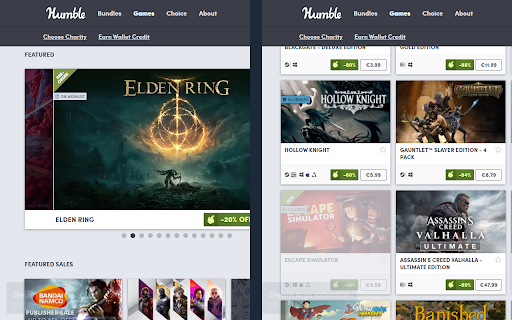
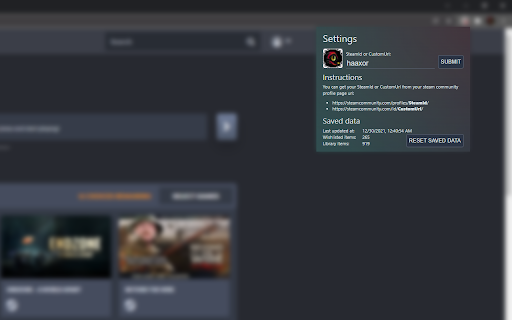
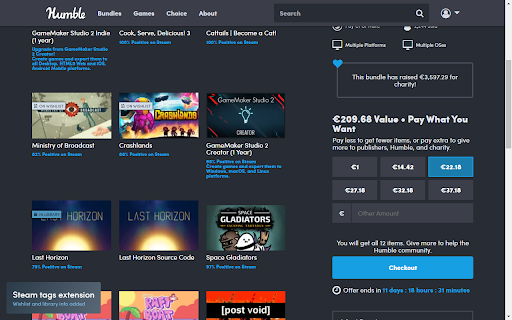

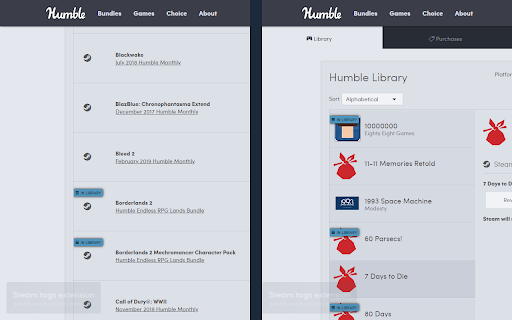
Show your library and wishlist games from Steam on Humble Bundle pages.
Display "On wishlist" and "In library" tags next to games on various Humble Bundle pages based on your Steam account wishlist and library.
There are 2 ways of using this extension:
- Login to Steam website at https://store.steampowered.com/
- Enter your SteamId or CustomUrl in the extension settings
Changelog
v3.1:
- Updated dependencies to fix new Chrome extension policy issue
v3.0:
- The website will remain responsive while the tags are loading
- Improved logging and error handling
- Switched to a new database
v2.9:
- Fixed humble site max-width being affected by this extension
- Fixed suggestion form
v2.8:
- Fixed popup display issue in Chrome caused by new update
v2.7:
- Fixed permissions check to not handle extra permission from previous version as a warning
- Improved cache handling so outdated cache from previous version won't break the extension
v2.6:
- Added missing permissions warning
- Fixed broken Firefox build
- Fixed other Firefox inconsistencies
v2.5:
- Tags that were found in your library/wishlist/ignore now link directly to steam store page of the game
- Merge both store and steamId info when available
- Properly update version number in About section
v2.4:
- Fixed wishlist for steam account login
- Handle coupons
- Fix some css issues on humble pages
v2.3:
- Added option to show a steam tag next to all items
v2.2:
- Fix mappings related bug that broke core functionality
v2.1:
- Fixed problem with steam store data returning empty cached value
- Fixed adding of tags to new items not present on first page load
- Added tags to store product detail page
- Added report missing tag form
v2.0:
- Migrated to manifest v3
- Replaced broken heroku backend with vercel edge functions
- Refactored to vite + typescript + react + tailwind
- Polished interface
v1.5:
- Updated to work on new /membership pages of humble choice
- Added option to log out and choose whether to log in with steam id or through store.steampowered.com
v1.4:
- Added indicator that user is logged in through store.steampowered.com
- Fixed error with loading library info by user steam id/url
- Fixed saved data info not updating in extension settings immediately after refresh
v1.3:
- Fixed a bug where cached ignored games would get reset
- Created a Firefox version of this extension
- Removed unnecessary activeTab permission
v1.2:
- DLCs will show up correctly (only if logged in on Steam website)
- Added Ignored tag that also lowers opacity of given item just like on Steam (only if logged in on Steam website)
- Game info is automatically retrieved after you change extension settings
- SteamId and CustomUrl input now also accepts the full profile url
v1.1:
- Added tags to Library and Keys & Entitlements pages
- Improved game name matching (to better match items with suffixes like (Steam) or XYZ edition))
- Added link to steam store with hover effect for tags
| 分类 | 🛍️购物 |
| 插件标识 | fcinjfniedmmfaalakcallcbjepfiabi |
| 平台 | Chrome |
| 评分 |
★★★★☆
4.2
|
| 评分人数 | 5 |
| 插件主页 | https://chromewebstore.google.com/detail/steam-tags-for-humble-bun/fcinjfniedmmfaalakcallcbjepfiabi |
| 版本号 | 3.1 |
| 大小 | 154KiB |
| 官网下载次数 | 1000 |
| 下载地址 | |
| 更新时间 | 2024-11-25 00:00:00 |
CRX扩展文件安装方法
第1步: 打开Chrome浏览器的扩展程序
第2步:
在地址栏输入: chrome://extensions/
第3步: 开启右上角的【开发者模式】
第4步: 重启Chrome浏览器 (重要操作)
第5步: 重新打开扩展程序管理界面
第6步: 将下载的crx文件直接拖入页面完成安装
注意:请确保使用最新版本的Chrome浏览器
同类插件推荐

Export HumbleBundle Library to JSON
Store information of all your unredeemed games fro

SteGOG
Display games owned on Steam in GOGDisplay games o
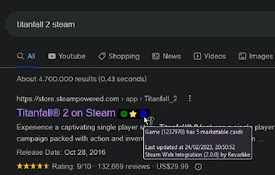
Steam Web Integration
Integrate your personal Steam information on the w

Steam Youtube Links
This extension adds links to Youtube reviews and l

Show Great on Deck on Steam
See what Games are verified for the Steam Deck and

Steam Context Menu
Search Steam using the context menuSearch for game

SteamChecker
Grays-out & highlights owned/wishlisted Steam

Humble Pal
Humble Pal extends the functionality of humble bun
demos in my Steam wishlist
Check which games in your Steam wishlist have a de
Steam tags for Humble Bundle
Show your library and wishlist games from Steam on

Steam Offers
List all Steam Offers so you can see it anywhere,

Steam Owned
Checks if you own a game on Steam on various websi
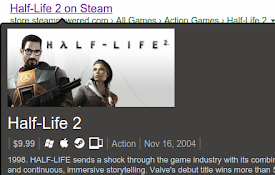
Steam Hover
Show Steam app details with mouse hover on a Steam