
Crunchyroll Comments Chrome 插件, crx 扩展下载
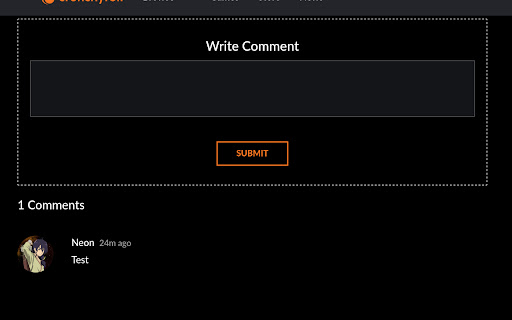
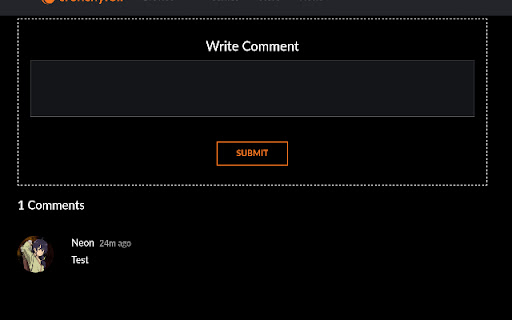
An extension which has a 3d party version of Crunchyroll comments #bringbackcrunchyrollcomments
# Crunchyroll Comments/Reviews

An extension that adds crunchyroll comments functinality back.
This is an extension which replicates the comments on crunchyroll for how they used to look like (mostly).
This is still a WIP and more features are on the way.
## More features
- Reviews
- Replying to a comment
- liking a comment
- Disliking a comment
- edit comment
- delete comment
- Reporting a Comment
- Custom comment badges
- comment automoderation (malicous viruses, spam, etc)
- safe mode (client size only filter)
- Episode syntax highlighting (ex: 00:01 jumps you to the first second of the video) (maybe comming)
## Helpful links
[Reddit post about removal of comments](https://www.reddit.com/r/Crunchyroll/comments/1dy380k/crunchyroll_removing_comments_reviews_etc/?utm_name=web3xcss)
[Wayback: Eps Comments](https://web.archive.org/web/20240614012147/https://www.crunchyroll.com/watch/GRG5JD92R/cruelty)
^ all css is sourced from there
[Waybacl: Reviews](https://web.archive.org/web/20240613225900/https://www.crunchyroll.com/series/GY5P48XEY/demon-slayer-kimetsu-no-yaiba)
## Privacy
this extension connects only to `api.saahild.com`.
The data being transfered when your creating when a comment is:
- ID (crunchyroll acc identifier) (CANNOT be used to login/hack)
- Username (for comments)
- Avatar (for comments)
## ? You can help me by Donating
[](https://paypal.me/duttafamily) [](https://ko-fi.com/saahil)
| 分类 | 👥社交 |
| 插件标识 | fkmpooolcpndmjolmlilghjlejcmfhlk |
| 平台 | Chrome |
| 评分 |
★★★★★
5
|
| 评分人数 | 5 |
| 插件主页 | https://chromewebstore.google.com/detail/crunchyroll-comments/fkmpooolcpndmjolmlilghjlejcmfhlk |
| 版本号 | 0.0.7 |
| 大小 | 220KiB |
| 官网下载次数 | 58 |
| 下载地址 | |
| 更新时间 | 2024-10-18 00:00:00 |
CRX扩展文件安装方法
第1步: 打开Chrome浏览器的扩展程序
第2步:
在地址栏输入: chrome://extensions/
第3步: 开启右上角的【开发者模式】
第4步: 重启Chrome浏览器 (重要操作)
第5步: 重新打开扩展程序管理界面
第6步: 将下载的crx文件直接拖入页面完成安装
注意:请确保使用最新版本的Chrome浏览器
同类插件推荐

Crunchyroll 广告拦截器
使用 Crunchyroll 广告拦截器扩展增强您的动漫流媒体体验。享受不间断的观看,没有烦人的广告
Crunchyroll Comments
An extension which has a 3d party version of Crunc

Crunchyroll Filler Labeler
Watch anime on Crunchyroll while knowing which epi

Crunchyroll With Better Seasons
Instead of having multiple seasons as DUBS, change

Audio Booster for Crunchyroll
Struggling with quiet streaming audio? ? Try Audio

Crunchyroll Theater
Extends Crunchyroll's player to the full width

CrunchyScore - MAL & Ani Score on Crunchyroll
Adds MyAnimeList and AniList scores to Crunchyroll

脆脆派对
与朋友同步观看 Crunchyroll 视频Crunchyroll Party - Anime &a

Crunchyroll - Anime Score from MyAnimeList
Go to Crunchyroll.com, explore anime and pick one

Crunchyroll Queue
This Extension create a external queue for one acc

Improve Crunchyroll
Enhance Crunchyroll: theater mode, skip intros/out

Crunchyroll Speeder: adjust playback speed
Extension allows to adjust the playback speed on C
MAL-Sync
将MyAnimeList/AniList/Kitsu/Simkl集成一体并具备剧集自动跟踪功能。MA