
BasiText Chrome 插件, crx 扩展下载

Your in-browser template manager
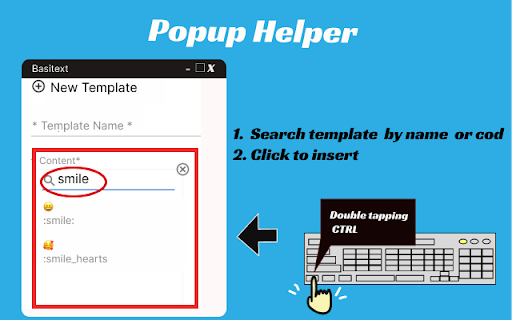
Save time and avoid repetitive typing with BasiText! This browser extension offers an efficient way to manage and insert text templates. With features like:
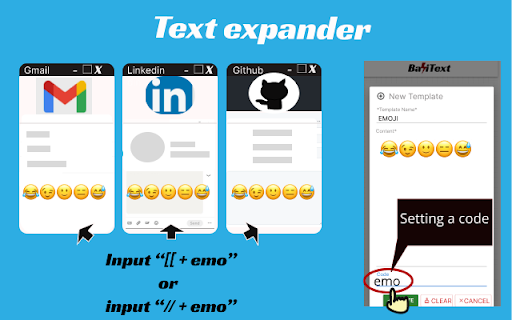
1. Assign codes to your templates and save them in your browser for fast and easy insertion.
2. Quickly insert templates with a double tap of the CTRL key and an autosuggestion window.
3. Manage all templates directly in your browser - no need to register for an account.
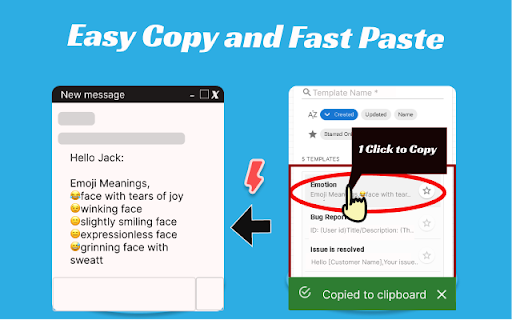
4. Search and copy templates with just one click.
5. Use the focus mode window for efficient use, which can be resized to accompany the primary window.
6. Key in common emojis and dates quickly with our text expander feature.
BasiText supports most web forms with standard text inputs. Enjoy a more productive browsing experience - install BasiText now!
| 分类 | 📝工作流程与规划 |
| 插件标识 | gffkhojmopmencjeiomomlnapgmngodg |
| 平台 | Chrome |
| 评分 |
☆☆☆☆☆
0
|
| 评分人数 | 6 |
| 插件主页 | https://chromewebstore.google.com/detail/basitext/gffkhojmopmencjeiomomlnapgmngodg |
| 版本号 | 1.3.7 |
| 大小 | 511KiB |
| 官网下载次数 | 69 |
| 下载地址 | |
| 更新时间 | 2023-06-17 00:00:00 |
CRX扩展文件安装方法
第1步: 打开Chrome浏览器的扩展程序
第2步:
在地址栏输入: chrome://extensions/
第3步: 开启右上角的【开发者模式】
第4步: 重启Chrome浏览器 (重要操作)
第5步: 重新打开扩展程序管理界面
第6步: 将下载的crx文件直接拖入页面完成安装
注意:请确保使用最新版本的Chrome浏览器
同类插件推荐
Save Your Tabs for Later
Save all tabs in a window to check it later and ke

Tabpik Tab Manager - Beta
Prioritize and Organize your Browser Tabs with Sty
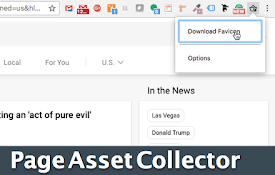
Asset Collector
Downloads favicon file from WebpageThis is a simpl

Text Template
Generate a text from template easilyGenerate a tex

Shiver Me Tabs!
We set sail and explore the web. Tab management fo

ContentMaster (content script editor)
Allows you to run a content script (javascript) on

BasiText
Your in-browser template managerSave time and avoi

Power Bookmarks
Power Bookmarks allows you to search your bookmark

Spellbook
Use thousands of bookmarks easilySpellbook is an e

Text Expander
Shorthand abbreviations expand to full text.Expand

Toby: Linkedin Company Information
Find company details on LinkedIn profile pages wit

NimoTab
NimoTab - Tidy up your cluttered tab bar and elega

RevertGPT - Quickly Insert Text Anywhere
Quickly insert templates on linkedinQuick Template