
ChatGPT Mailyr: Write Emails with AI Chrome 插件, crx 扩展下载
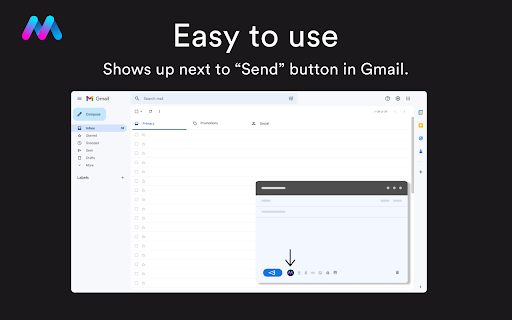
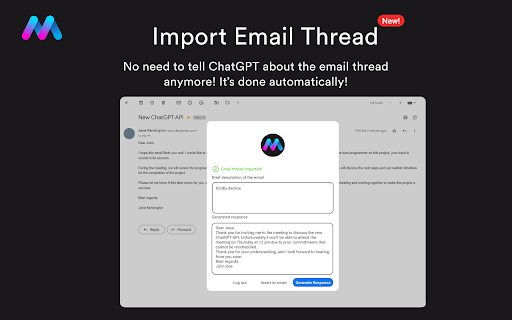

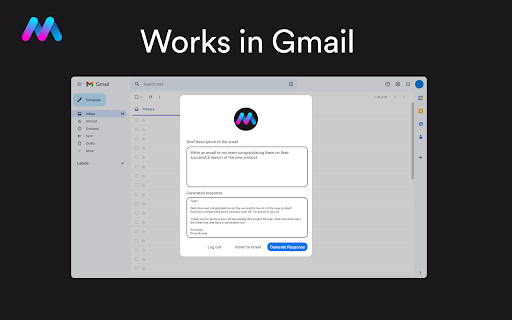
Write emails and messages with ChatGPT AI inside of Gmail.
Mailyr takes the stress out of email writing. Just type a few words and let AI do the rest.
With Mailyr, ChatGPT will write you a professional email, with flawless grammar, in no time. By adding Mailyr to Chrome, you get 14 complimentary emails and can have a great email ready to be sent in seconds.
Worried about privacy? Don't, we don't have access to your emails, prompts, or responses. Your email is not sold or shared with any third parties, period.
➤ How it works
By using the power of ChatGPT and AI, Mailyr writes outstanding emails in seconds. We get your prompt, send it to ChatGPT's servers, and put your response inside of our popup in Gmail, ready to be inserted directly into your email. This entire process is safe, secure, and done with just a few clicks.
➤ How to use the extension
Watch our short video that demonstrates step-by-step how to use it.
https://welcome.getmailyr.com
➤ What’s included?
- Free
The free version includes:
• 14 free emails (lifetime)
• Standard AI/ChatGPT engine
- Premium
Premium includes an overall elevated user experience with faster and better emails generated. Here's what's included:
• 250 emails/month
• Our Premium Server with ultra-fast email generation
• Our strongest AI engine, with scholar-level English
• Access to new features
For more information about our plans, visit our website:
https://www.getmailyr.com/plans
➤ Privacy Policy
https://www.getmailyr.com/policies/privacy
➤ Official Website:
https://getmailyr.com
| 分类 | 💬沟通 |
| 插件标识 | hdnoknmhhhcbjnbfjfadhebmhmcnlgjh |
| 平台 | Chrome |
| 评分 |
★★★★★
5
|
| 评分人数 | 4 |
| 插件主页 | https://chromewebstore.google.com/detail/chatgpt-mailyr-write-emai/hdnoknmhhhcbjnbfjfadhebmhmcnlgjh |
| 版本号 | 0.38.18 |
| 大小 | 1.31MiB |
| 官网下载次数 | 969 |
| 下载地址 | |
| 更新时间 | 2024-02-21 00:00:00 |
CRX扩展文件安装方法
第1步: 打开Chrome浏览器的扩展程序
第2步:
在地址栏输入: chrome://extensions/
第3步: 开启右上角的【开发者模式】
第4步: 重启Chrome浏览器 (重要操作)
第5步: 重新打开扩展程序管理界面
第6步: 将下载的crx文件直接拖入页面完成安装
注意:请确保使用最新版本的Chrome浏览器
同类插件推荐

goGPTgo
An app for enhance writing skillUse ChatGPT on any
ChatGPT Mailyr: Write Emails with AI
Write emails and messages with ChatGPT AI inside o

Email GPT
Write email with AIIntroducing the AI Email Writer

AI Email Writer for Gmail - Letty
Write perfect emails in your own style with your p

Type-in | ChatGPT email assistant | GPT-3
Type-in is a gmail plugin generates and replies to

Scribbly AI: ChatGPT Email Assistant
Scribbly – AI-powered email writing for busy profe

? Sendr AI | Email Writer powered by GPT4
Write awesome emails with one word or less.Update

Addy AI - ChatGPT Email Assistant
Write entire emails 10x faster using ChatGPT AI (W

Yooz - Advanced AI Writer
Advanced AI writer on every websiteIntroducing AI

Replix.ai
Replix AI maximizes your online presence to create

Professionally AI Email Writer
Automatically rephrases emails in Gmail for a more

MailMagic -AI电子邮件助理由Chatgpt提供支持
用AI编写对隐私友好的电子邮件。改变音调,使用所有语言,全部免费。使用您的 ChatGPT 帐户撰写

eesel: ChatGPT document search
ChatGPT powered new tab search for Google Docs, No