
Optimizely Assistant Chrome 插件, crx 扩展下载
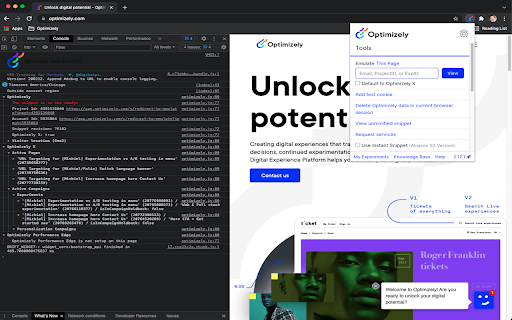
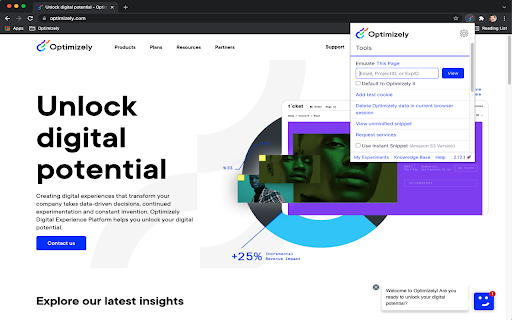
Debug your Optimizely experiments with useful JavaScript console logging and powerful caching and snippet injection options.
This extension reads Optimizely JavaScript data and state for any snippet that you have access to in your Optimizely account. Visit the website your snippet is installed on and it prints useful debugging information to the JavaScript console. The messages include information about what experiments are running on the page and what experiment and variation you are currently bucketed into.
The extension also enables you to use a non-cached version of your Optimizely snippet or even swap to use a different snippet you own on that page. These are useful tools for reducing wait time when debugging and trying out staging content on a production site.
Here are the steps to setup the extension:
- Turn on the extension by clicking on the Optimizely logo to the right of the address bar.
- Login to your Optimizely account when prompted. This fetches the list of projects and snippets you have permission to view with the extension.
- Open the Chrome JavaScript console to see the messages.
- On Windows and Linux, press Control-Shift-J.
- On Mac, press Command-Option-J.
- Navigate to a site where your snippet is installed to see the console log populate with Optimizely information.
- You will need to enable developer mode in order to use certain features
The terms of the applicable agreement between you and Optimizely (including the online terms of service located at the following URL, https://www.optimizely.com/terms/ ) shall govern your access, installation and/or usage of this Optimizely Assistant Extension.
You can learn more about the extension in our Knowledge Base at https://help.optimizely.com/QA_Campaigns_and_Experiments/The_Optimizely_Chrome_extension.
| 分类 | 💻开发者工具 |
| 插件标识 | hkmpnondmidmfdlaphahbalnmphelnfo |
| 平台 | Chrome |
| 评分 |
★★★★★
5
|
| 评分人数 | 1 |
| 插件主页 | https://chromewebstore.google.com/detail/optimizely-assistant/hkmpnondmidmfdlaphahbalnmphelnfo |
| 版本号 | 3.0.2 |
| 大小 | 515KiB |
| 官网下载次数 | 6000 |
| 下载地址 | |
| 更新时间 | 2024-09-26 00:00:00 |
CRX扩展文件安装方法
第1步: 打开Chrome浏览器的扩展程序
第2步:
在地址栏输入: chrome://extensions/
第3步: 开启右上角的【开发者模式】
第4步: 重启Chrome浏览器 (重要操作)
第5步: 重新打开扩展程序管理界面
第6步: 将下载的crx文件直接拖入页面完成安装
注意:请确保使用最新版本的Chrome浏览器
同类插件推荐
Optimizely Inspector
See all active Experiments on the site as well as

Conversion.com's Optimizely Chrome Extension
This extension allows you to learn information abo

Optimizely Toggle for Chrome
This extension disables Optimizely for the tab you
A/B Pre-test Calculator by Speero
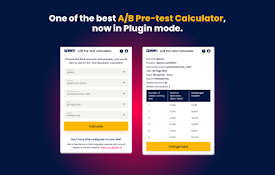
Speero's A/B Pre-test Calculator helps you ans

Optimizely Assistant
Debug your Optimizely experiments with useful Java

Adobe Experience Platform Debugger
Debug Adobe Experience Platform and Adobe Experien

ObservePoint Debugger
Troubleshoot analytics tags, variables, events, co

Omnibug
Omnibug is a browser extension to decode and displ

Datalayer Checker
The easiest way to debug and check the dataLayer i

dataslayer
Debug and test tag management (Google Tag Manager,
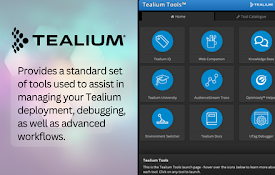
Tealium Tools
Evaluate website data, tags, and events with power

Google Analytics Debugger
Prints useful information to the JavaScript consol

Analytics Debugger
Your Single Source of Truth (SSOT) for debugging a