
Remove unwanted elements Chrome 插件, crx 扩展下载

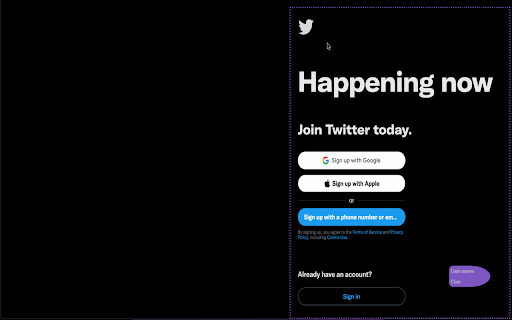
Remove unwanted elements from the page
Helps in removing the unwanted elements from the page with ease in just few clicks.
Can remove any content from the page without changing the layout structure.
So now, say bye to distracting contents on pages be it flashy content, advertising banners or some other distracting elements (:p) and just focus on the section that you want to concentrate on.
Undo of Remove Elements can be done for last 5 removed elements.
Simply click the extension icon (or press Ctrl+Shift+F) to enable it, and click the element you want to erase; To Undo the removal just click Undo button.
It's that simple. Enjoy.
For any feedback, do leave comment.
#removeElement #removeDistraction
| 分类 | 📝工作流程与规划 |
| 插件标识 | ipgipojdkhnfpgmfifkbhhdfgccggpld |
| 平台 | Chrome |
| 评分 |
☆☆☆☆☆
0
|
| 评分人数 | 7 |
| 插件主页 | https://chromewebstore.google.com/detail/remove-unwanted-elements/ipgipojdkhnfpgmfifkbhhdfgccggpld |
| 版本号 | 1.0 |
| 大小 | 6.39KiB |
| 官网下载次数 | 101 |
| 下载地址 | |
| 更新时间 | 2024-01-21 00:00:00 |
CRX扩展文件安装方法
第1步: 打开Chrome浏览器的扩展程序
第2步:
在地址栏输入: chrome://extensions/
第3步: 开启右上角的【开发者模式】
第4步: 重启Chrome浏览器 (重要操作)
第5步: 重新打开扩展程序管理界面
第6步: 将下载的crx文件直接拖入页面完成安装
注意:请确保使用最新版本的Chrome浏览器
同类插件推荐
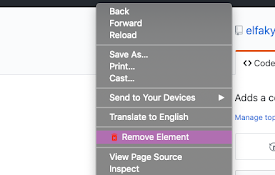
Simple Remove Element
Adds a context menu to remove an element from a pa

Delete the Element
Right click on any element and click Delete Elemen
Remove Element From Dom
Easily remove elements from the current page's
Remove unwanted elements
Remove unwanted elements from the pageHelps in rem

Simple Element Remover
Remove elements from the pageSimple Element Remove

Hide Fixed Elements (packaged by Denis)
Hide fixed elements on a page to open up more view
Nukem
Remove elements from web pages permanentlyThere ar

Hide Anything - Element Hider for Chrome™
Best element hider for Chrome™. Remove distraction

Remove Element
Creates a contextual menu item to remove an elemen

Click to Remove Element
Remove annoying elements with a single clickAllows

Snip - 删除网页元素
只需单击一下即可从任何网站删除任何元素With Snip you can remove any el

RemoveElement
Remove HTML elements from the right-click context