
Open Archive Chrome 插件, crx 扩展下载
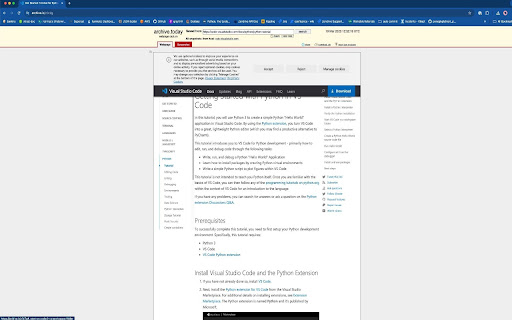
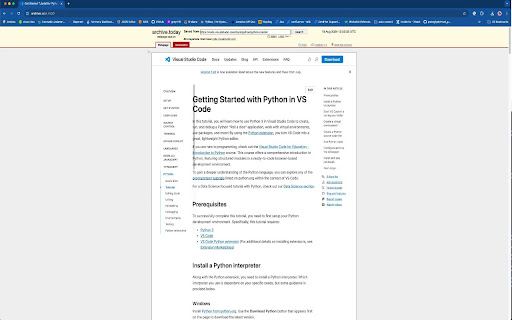
Access any webpages from archive.today
Ever wondered what a webpage looked like before it changed? Open Archive is your personal time machine for the internet, providing quick and easy access to the most recent archived version of any website. Whether you're a researcher, journalist, or just curious about the evolution of content, this extension is designed to help you explore the web's history with a single click.
Key Features:
- Instant Access: Automatically opens the latest archived version of the current page in a new tab.
- Explore Historical Snapshots: Navigate through different versions of the page to see how content has evolved over time.
- Simple & Fast: No need for complex tools or searches—get the archived version instantly.
Why Use Open Archive?
- Content Preservation: Perfect for users who want to see how web pages looked at different times, preserving content that might otherwise be lost or changed.
- Research & Reference: Ideal for academic research, content creators, and anyone needing to reference past versions of web pages.
- User-Friendly: With its clean interface and straightforward functionality, accessing the web's history has never been easier.
- Take control of your browsing experience and uncover the hidden stories behind your favorite websites.
Install Open Archive today and start exploring the web’s rich history!
This is not an official extension from the Internet Archive. It uses the Wayback Machine API to access archived versions of web pages.
GitHub Link: https://github.com/souvikmaji/open-archive
| 分类 | 🛠️工具 |
| 插件标识 | kgbhhpbffpfihonajnpmoalggjcnidkg |
| 平台 | Chrome |
| 评分 |
☆☆☆☆☆
0
|
| 评分人数 | 2 |
| 插件主页 | https://chromewebstore.google.com/detail/open-archive/kgbhhpbffpfihonajnpmoalggjcnidkg |
| 版本号 | 0.1 |
| 大小 | 447KiB |
| 官网下载次数 | 126 |
| 下载地址 | |
| 更新时间 | 2024-09-03 00:00:00 |
CRX扩展文件安装方法
第1步: 打开Chrome浏览器的扩展程序
第2步:
在地址栏输入: chrome://extensions/
第3步: 开启右上角的【开发者模式】
第4步: 重启Chrome浏览器 (重要操作)
第5步: 重新打开扩展程序管理界面
第6步: 将下载的crx文件直接拖入页面完成安装
注意:请确保使用最新版本的Chrome浏览器
同类插件推荐

ChatFox - 适用于 Instagram、Twitter 和 LinkedIn 的 OpenAI ChatGPT
The Open-AI ChatGPT powerful tool to give you the

Time Machine X
Browse anyone's timeline and see their tweets

Youtube Playlist Ranger
Calculate the time taken to watch a range of video

SpeedMeter
Analyzes your website performances by measuring th

Time-Travel Debugger for The Web
Record, Share & Replay the Web. Step through e

web-archive
SingleFile with categories and exhibition pagesBef
Open Archive
Access any webpages from archive.todayEver wondere

互联网档案馆
只需点击一下,即可访问互联网档案馆和时光机,查看互联网档案中的网页!? 这个谷歌 Chrome 扩展

Open with Internet Archive
open links with Internet Archive⚡ Indie extension

Archive.today automator
Sanitize URL before requesting its newest version

Send to Internet Archive
Saves the current web page as it appears now to th

Web Archive Viewer
Easily view archived (cached) webpages via seven d

Archive Page
Archive webpage with archive.todayAdds a button to