
AWS Account Labeler Chrome 插件, crx 扩展下载
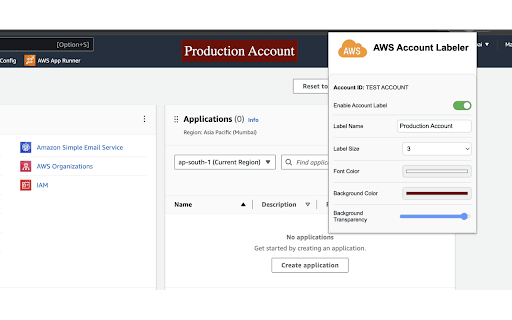
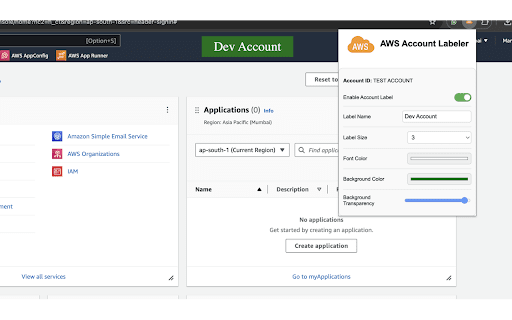
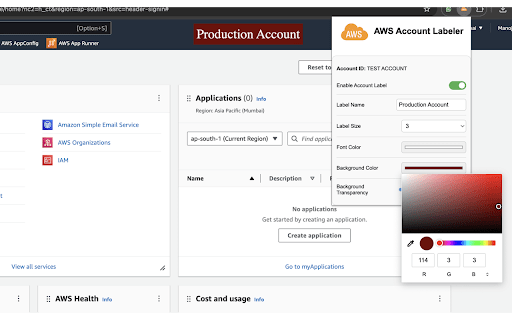
Customize and display labels for different AWS accounts directly on the AWS console.
Description: Enhance your AWS experience by displaying customizable labels for different AWS accounts directly on the AWS console. This extension helps you easily distinguish between multiple AWS accounts, making account management simpler and more intuitive.
Key Features
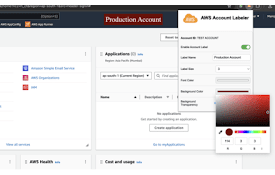
Customizable Labels: Users can set unique labels for different AWS accounts. Each label can be customized in terms of text, size, font color, and background color with transparency options.
Dynamic Styling: The extension allows for dynamic customization of label appearance, including font size, font color, background color, and background transparency.
Persistent Storage: Configurations and label positions are stored locally using Chrome's storage API, ensuring that user settings persist across browser sessions.
Seamless Integration: The extension integrates seamlessly with the AWS console, displaying labels prominently without interfering with normal operations.
Drag-and-Drop Functionality: Users can drag the labels to any position on the page, and the extension will save the label's position for the next session.
| 分类 | 💻开发者工具 |
| 插件标识 | kpohjelonfokjflfkoejleokbdobpecj |
| 平台 | Chrome |
| 评分 |
★★★★★
5
|
| 评分人数 | 7 |
| 插件主页 | https://chromewebstore.google.com/detail/aws-account-labeler/kpohjelonfokjflfkoejleokbdobpecj |
| 版本号 | 0.0.3 |
| 大小 | 18.87KiB |
| 官网下载次数 | 38 |
| 下载地址 | |
| 更新时间 | 2024-06-19 00:00:00 |
CRX扩展文件安装方法
第1步: 打开Chrome浏览器的扩展程序
第2步:
在地址栏输入: chrome://extensions/
第3步: 开启右上角的【开发者模式】
第4步: 重启Chrome浏览器 (重要操作)
第5步: 重新打开扩展程序管理界面
第6步: 将下载的crx文件直接拖入页面完成安装
注意:请确保使用最新版本的Chrome浏览器
同类插件推荐

WhatsApp ChatShield And Quick Chat
Enhance your WhatsApp privacy on WhatsApp Web and

AWS Console Bar
Increase your productivity in AWS Console with aws

AWS Account Name Finder
For SSO-based AWS accounts, display the Account Na
AWS Account Identifier
Adds a description with a specific color to the AW

AWS SSO Account Highlight
Display a badge of current AWS Account NameShowing

AWS Colorize
Color codes your AWS header based on what account
Customize AWS Console Header
Change AWS Console Header. background color and te

All-in-One Data Toolbox
Collection of handy Text/XML/JSON/CSV tools and mo
AWS Account Labeler
Customize and display labels for different AWS acc

postpixie.com Chrome Extension
Enhance your social experience with postpixie.com

Gitcolor - Github Contribution Themer
Set different themes to the GitHub contribution gr

Debricked Select Extension
Open Source Select will help developers find and u

PromptSync
Ask ChatGPT, Bard AI, and Bing Chat with one singl