
Youtube Channels To CSV Chrome 插件, crx 扩展下载



Export Youtube Channel Data to CSV from a list of channel links
Export YouTube Channel Data from Channel URL list to CSV File.
How it works:
- First, install this extension.
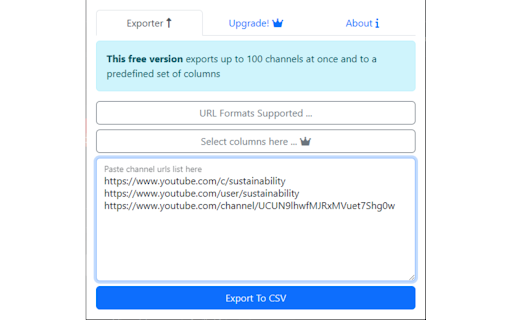
- Next, click on the red icon next to your URL bar. Don't see the icon? Click on the puzzle piece, and then click on the pin to move it to your URL bar.
- Paste the list of channel URLs you'd like to extract the data.
- Click on export and wait for the end of the process, then finally download the generated CSV File.
** You could generate a list of channel URLs by using this extension: https://bit.ly/subscriptions-importer-for-yt
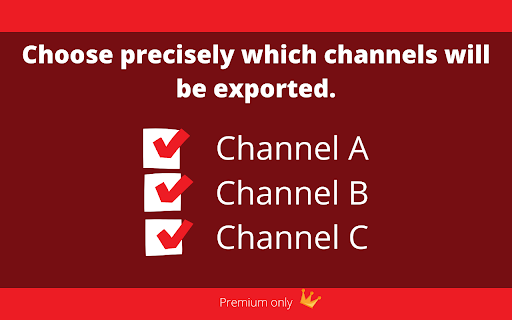
This is what the exported output will look like:
Name,Url,Subscribers,
Channel A,https://youtube.com/channel/ADFa0fsdaFAsd0fawW, 1K
Channel B,https://youtube.com/channel/ADFa0fsdaFAsd0fawW, 1K
Channel C,https://youtube.com/channel/ADFa0fsdaFAsd0fawW, 1K
...
Please leave your report using the support link.
Changelog:
v.0.0.1.5:
- sources change.
v.0.0.1.4:
- fix not exporting issue
- add "total videos" column (premium)
v.0.0.1.3:
- add support to "youtube.com/@username" kind of URL
v.0.0.1.2:
- Remember which columns were used in the last export
- Add Avatar Image data column
v.0.0.1:
- First Version
| 分类 | 📝工作流程与规划 |
| 插件标识 | leleihajebccdgcpoinijlfccdkajioa |
| 平台 | Chrome |
| 评分 |
★★★★☆
4.1
|
| 评分人数 | 24 |
| 插件主页 | https://chromewebstore.google.com/detail/youtube-channels-to-csv/leleihajebccdgcpoinijlfccdkajioa |
| 版本号 | 0.0.1.5 |
| 大小 | 704KiB |
| 官网下载次数 | 635 |
| 下载地址 | |
| 更新时间 | 2025-02-07 00:00:00 |
CRX扩展文件安装方法
第1步: 打开Chrome浏览器的扩展程序
第2步:
在地址栏输入: chrome://extensions/
第3步: 开启右上角的【开发者模式】
第4步: 重启Chrome浏览器 (重要操作)
第5步: 重新打开扩展程序管理界面
第6步: 将下载的crx文件直接拖入页面完成安装
注意:请确保使用最新版本的Chrome浏览器
同类插件推荐

Youtube Playlists Exporter
Save Youtube Playlist to csv file. Export Youtube

YoutubeScraper
Scrape all youtube links from a webpageSimple exte

Subscriptions Importer For Youtube
Import or Export your Youtube Subscriptions"S
Youtube Channels To CSV
Export Youtube Channel Data to CSV from a list of

Youtube Playlist Exporter
Easy extract and export information from YouTube p

SmartSwitch: Transfer YouTube subscriptions
Transfer your YouTube channel subscriptions to ano

YouTube Subscription Exporter & Importer
A free tool for exporting or importing your YouTub

Youtube Subscriptions Transfer
Transferring subscriptions from one YouTube accoun

YouTube Subscriptions Exporter
== This extension cannot export more than 1000 sub

YouTube URL Grabber Plus
A Chrome extension to grab YouTube URLs and Video

YouTube Data Scraper - Videos, Comments
YouTube - Easy data extraction tools of Videos, Co

Comment Exporter for Youtube
Best way to Export Youtube Comments to Text, CSV o

YouTube Advanced Playlist Export
Export detailed information from YouTube playlists