
Subscriptions Importer For Youtube Chrome 插件, crx 扩展下载
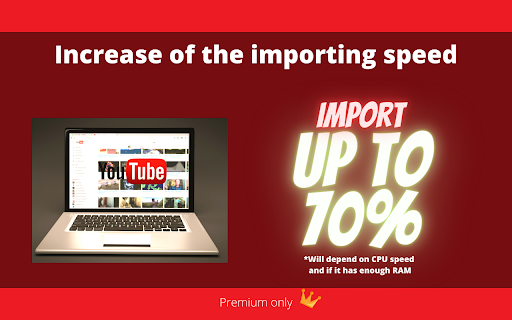





Import or Export your Youtube Subscriptions
"Subscriptions Importer for YouTube" is a handy tool for managing your YouTube subscriptions.
Easily import and export subscriptions between accounts using channel URLs. Perfect for syncing subscriptions across multiple accounts or sharing them with others.
No technical skills required and no need to setup anything before using – it's user-friendly and efficient.
Premium version supports importing over 50 subscriptions at one go and exporting over 1000 subscriptions. Install, paste your Channel URL, and manage your subscriptions effortlessly.
How it works:
- First, install this extension.
- Next, click on the red icon next to your URL bar. Don't see the icon? Click on the puzzle piece, and then click on the pin to move it to your URL bar.
- If you choose to import paste your Channel URL list or upload a CSV File (premium)
- Click on "Import" then confirm.
- Please wait until its fully imported.
- If you choose to export, you'll have a list of your YouTube subscriptions (Channel URLs) copied to your clipboard.
Not working? Please leave your report using the support link.
Disclaimer 1.: This is not an official YouTube tool.
Disclaimer 2.: There is a remote risk that the extension's functionality could be irreversibly compromised if drastic changes to YouTube's policies were to occur. If they were to occur, this would render it completely inoperable on a permanent basis.
| 分类 | 🛠️工具 |
| 插件标识 | dejjakoompaeblngfchggeaballjkmao |
| 平台 | Chrome |
| 评分 |
★★★★☆
4.8
|
| 评分人数 | 2726 |
| 插件主页 | https://chromewebstore.google.com/detail/subscriptions-importer-fo/dejjakoompaeblngfchggeaballjkmao |
| 版本号 | 0.3.7.6 |
| 大小 | 1.89MiB |
| 官网下载次数 | 10000 |
| 下载地址 | |
| 更新时间 | 2025-01-14 00:00:00 |
CRX扩展文件安装方法
第1步: 打开Chrome浏览器的扩展程序
第2步:
在地址栏输入: chrome://extensions/
第3步: 开启右上角的【开发者模式】
第4步: 重启Chrome浏览器 (重要操作)
第5步: 重新打开扩展程序管理界面
第6步: 将下载的crx文件直接拖入页面完成安装
注意:请确保使用最新版本的Chrome浏览器
同类插件推荐

Youtube RSS
This plugin adds the RSS button back to Youtube.Si
Subscriptions Importer For Youtube
Import or Export your Youtube Subscriptions"S

Youtube Channels To CSV
Export Youtube Channel Data to CSV from a list of
YouTube Auto Subscribe
Automatically subscribes to YouTube channels from

SmartSwitch: Transfer YouTube subscriptions
Transfer your YouTube channel subscriptions to ano

YouTube Subscription Exporter & Importer
A free tool for exporting or importing your YouTub

Youtube Subscriptions Transfer
Transferring subscriptions from one YouTube accoun

YouTube Subscriptions Exporter
== This extension cannot export more than 1000 sub

youtube unsubscribe all
the best and easy way to unsubscribe all channelsU

Download My Youtube Subscriptions
Download My Youtube Subscriptions* Export your You

Simple subscription management
Simple subscription management for you tubeI creat

PocketTube: Youtube Subscription Manager
Group YouTube subscriptions into YouTube folder. V

YouTube™ 的多种选择
更快,更轻松地移动,排序和复制播放列表中的视频。此扩展程序将为您节省大量管理播放列表的时间。 操作已