
ai bookmarker Chrome 插件, crx 扩展下载

a smarter bookmark.
Revolutionize Your Bookmark Management with ai bookmarker!
Are you tired of disorganized bookmarks and lengthy lists that make finding your favorite sites a hassle? Say hello to the future of bookmark management with ai bookmarker!
Key Features:
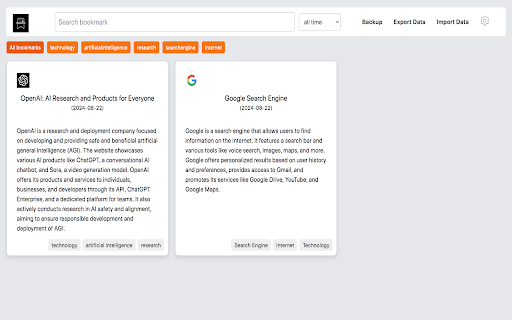
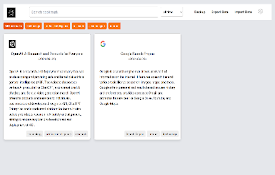
- Smart Categorization: Automatically generate precise category tags for your bookmarks using advanced LLMs, including ChatGPT, Gemini, Claude, and more.
- AI-Powered Summaries: Get concise, AI-generated summaries for every bookmark, so you can quickly grasp the content without having to click through.
- Comprehensive Search: Find what you need instantly with full-text search functionality that indexes all your bookmarks.
-Seamless Import & Export: Easily import and export your bookmarks, making it simple to switch browsers or back up your data.
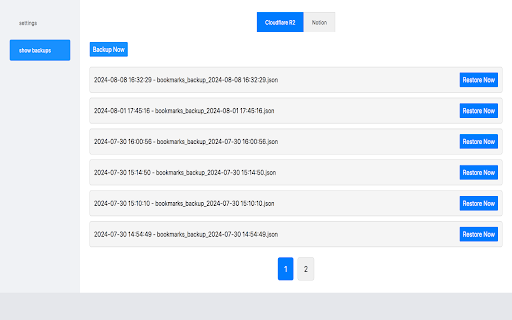
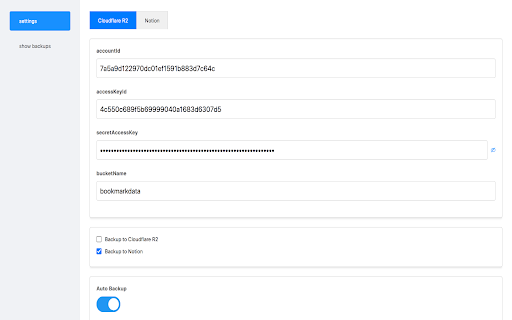
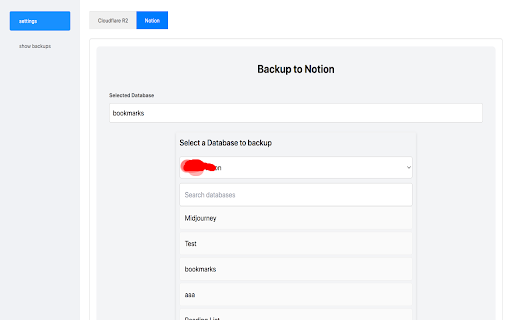
- Auto Backup: Keep your bookmarks safe and accessible with automatic backups to Cloudflare R2 and Notion.
- Cloud Sync: Ensure your bookmarks are always up-to-date and synchronized across all your devices.
release : v1.0.1
- Support share bookmarks on x.com.
release : v1.0.2
- Newly supported languages: Japanese, Korean, French.
- Supports backup and automatically generates self-built or third-party navigation websites.
Upgrade your bookmark experience with ai bookmarker and enjoy a smarter, more organized browsing experience. Download now and transform the way you manage your bookmarks!
| 分类 | 🛠️工具 |
| 插件标识 | lgofbfmjlniokppamliabcdbphlmkebj |
| 平台 | Chrome |
| 评分 |
★★★★☆
4.4
|
| 评分人数 | 9 |
| 插件主页 | https://chromewebstore.google.com/detail/ai-bookmarker/lgofbfmjlniokppamliabcdbphlmkebj |
| 版本号 | 1.0.2 |
| 大小 | 802KiB |
| 官网下载次数 | 24 |
| 下载地址 | |
| 更新时间 | 2024-09-20 00:00:00 |
CRX扩展文件安装方法
第1步: 打开Chrome浏览器的扩展程序
第2步:
在地址栏输入: chrome://extensions/
第3步: 开启右上角的【开发者模式】
第4步: 重启Chrome浏览器 (重要操作)
第5步: 重新打开扩展程序管理界面
第6步: 将下载的crx文件直接拖入页面完成安装
注意:请确保使用最新版本的Chrome浏览器
同类插件推荐

Cokeep - Smart Keeper, Learn Faster
Cokeep is an AI-powered bookmark manager that stre
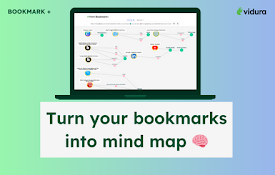
Bookmark Plus by Vidura
Bookmark Plus is a chrome extension to amplify the

Tabaroo: AI Tab Manager
Tabaroo uses AI to effortlessly organize your tabs

PlutoAI - AI Bookmarks and Tabs Manager
AI bookmarking assistant that enables you to insta
ai bookmarker
a smarter bookmark.Revolutionize Your Bookmark Man

markwise.app - AI Bookmark Manager
AI-powered knowledge assistant for organizing book

MemWink - AI-driven bookmarks and readlists!
AI-driven alternative to native bookmarks and read

PackPack - AI书签管理器,浏览器扩展程序
文章、社交媒体帖子、图片、视频等内容 - AI 让一切都可保存且易于阅读。PackPack 超越了传

Markie
Markie is an intelligent bookmarking tool with aut

Bookmark Dupes
显示/移除重复的书签或空文件夹# bookmarkdupes (C) Martin Väth &l

Save and search with Stacks
Stacks is your personal search engine. Recall book

MyMemo web clipper
MyMemo Chrome ExtensionIntroducing the MyMemo Chro

Bookmanize - 高级书签管理器
先进的书签管理器提供了标记、即时排序和在全列表视图中过滤所有书签。书签管理器有一个简洁的用户界面,所