
COPY RICH URL Chrome 插件, crx 扩展下载

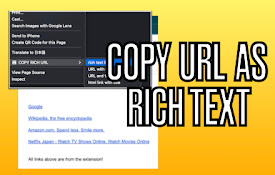
Just clicking the icon and copying the link of the page as RICH TEXT. Markdown and other styles are available with right click menu.
-----------------------
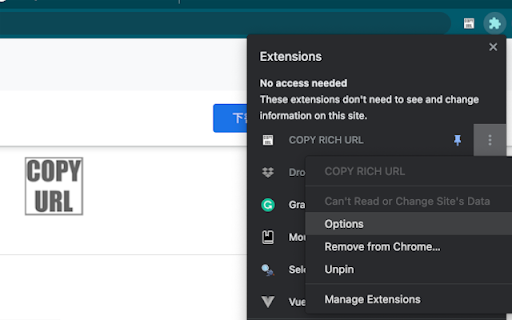
Just CLICK the icon, and the Formatted LINK(rich text link) is saved in your clipboard!!
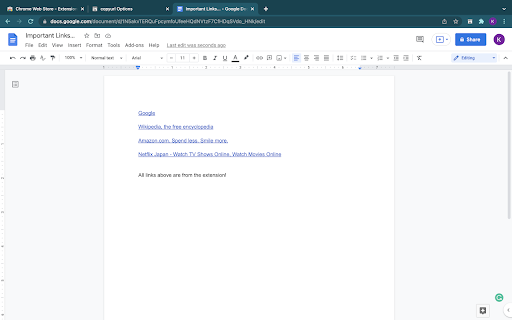
You can paste the saved LINK with the title to your document(e.g. Google docs...) WITHOUT any editing.
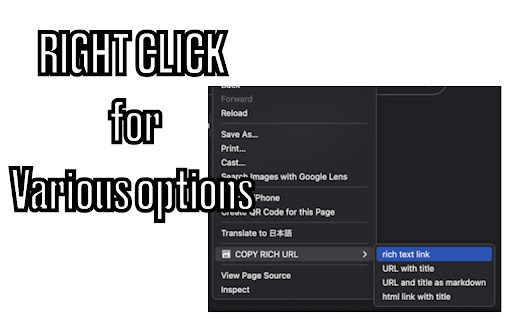
Also, you can RIGHT-CLICK on the page and select the "COPY RICH URL" menu, now you can save the page link in various styles.
You can save to a clipboard ...
? as RICH TEXT,
❤️ Only URL of the page
? URL with Title of the page
? as Markdown style LINK
? as HTML style LINK
OPTIONS
========
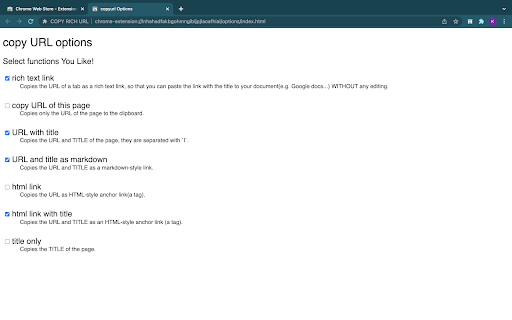
From the extension menu, select the "option", and you can choose which feature to use.
| 分类 | 📝工作流程与规划 |
| 插件标识 | lijjekihhdocbcginjcbipabahcjpjoe |
| 平台 | Chrome |
| 评分 |
★★★★★
5
|
| 评分人数 | 5 |
| 插件主页 | https://chromewebstore.google.com/detail/copy-rich-url/lijjekihhdocbcginjcbipabahcjpjoe |
| 版本号 | 0.6.4 |
| 大小 | 12.64KiB |
| 官网下载次数 | 209 |
| 下载地址 | |
| 更新时间 | 2022-03-23 00:00:00 |
CRX扩展文件安装方法
第1步: 打开Chrome浏览器的扩展程序
第2步:
在地址栏输入: chrome://extensions/
第3步: 开启右上角的【开发者模式】
第4步: 重启Chrome浏览器 (重要操作)
第5步: 重新打开扩展程序管理界面
第6步: 将下载的crx文件直接拖入页面完成安装
注意:请确保使用最新版本的Chrome浏览器
同类插件推荐

URL Copy Helper
Copy current URL and Title. Rich Text is avalable!

EasyCopyLink
You can copy page link from right-click menu to cl

Copy URL
Copy URL of the active tab into the clipboardCopy

Copy URL And Title
Copy page URL and title with different formatCopy

Copy Title and URL
Adds a button to copy the title and URL of the cur

Copy Titled Link
Copies the title and URL of the current page to th

标题和链接复制
一键复制当前页面的标题和链接。Markdown标题与链接复制器是一款轻巧实用的Chrome插件,只需

Copy Text with URL
Copy current selected text and current URLCopy sel

Copy Cat
Quickly copy the title of page and url into your c
COPY RICH URL
Just clicking the icon and copying the link of the

Rich URL
Copy, save and share information in a convenient f

CopyTabTitleUrl
Copy the title and URL to the clipboard.You can cu

Copy Rich Link
Copy the page title and URL as rich text.Copy the