
Steam.Supply's Extension Chrome 插件, crx 扩展下载

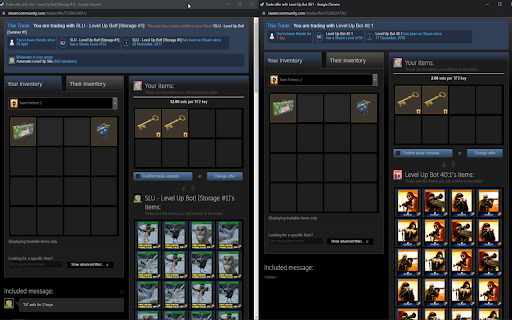
Improves experience on Steam.Supply & Display trade details on steam
Our extension can:
- Display the rate of a steam trade to validate the trade is as expected without having to count thousands of cards and making sure they are sets
- Automatically insert required trade message when trading with our rate checker
- Automatically grab selected coupon from steam.supply/Coupons page
More feature to come based on user feedback
Addon does not require 3rd party software, a set database or other hard to gather information for end users.
Description of requested permissions:
https://steamcommunity.com/* - gather trade information for validation
https://steam.supply/* - grabbing API key and sending trade information back for validation
Official website: http://steam.supply/
Official Steam group: https://steamcommunity.com/groups/SteamSupply
Official support email: [email protected]
| 分类 | 📝工作流程与规划 |
| 插件标识 | mellbpccdeodofmddeacdojlmgibekpi |
| 平台 | Chrome |
| 评分 |
★★★★☆
4
|
| 评分人数 | 33 |
| 插件主页 | https://chromewebstore.google.com/detail/steamsupplys-extension/mellbpccdeodofmddeacdojlmgibekpi |
| 版本号 | 0.3 |
| 大小 | 31.3KiB |
| 官网下载次数 | 135 |
| 下载地址 | |
| 更新时间 | 2022-11-11 00:00:00 |
CRX扩展文件安装方法
第1步: 打开Chrome浏览器的扩展程序
第2步:
在地址栏输入: chrome://extensions/
第3步: 开启右上角的【开发者模式】
第4步: 重启Chrome浏览器 (重要操作)
第5步: 重新打开扩展程序管理界面
第6步: 将下载的crx文件直接拖入页面完成安装
注意:请确保使用最新版本的Chrome浏览器
同类插件推荐

Steamlevels Steam Enhancer
Autocraft Steam Badges & Steam Gems!Features t

Steam Artwork Hub Essentials
Steam Artwork Hub Essentials is an extension for S
Steam Card Assistant
Extends the Steam Badge crafting system by craftin
Steam Booster Packs Profit Finder
Profitably exchange your gems for booster packs fr

Steam Friends Enhancer
Improve steam friends experienceThis extension hel

SteamAutoAuth
A chrome web extension to ease logging into multip

Steam User Manager
Steam User Manager is an extension that works as a
Steamlvlup Card Factory
改善您与集换式卡牌、游戏徽章和 Steam 个人资料级别的互动. Steamlvlup.com 的官
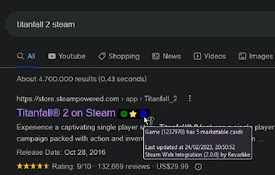
Steam Web Integration
Integrate your personal Steam information on the w

SteamDB
在 Steam 商店和社区页面中添加 SteamDB 链接和新功能,可查阅游戏史低价格和在线统计数据
Steam.Supply's Extension
Improves experience on Steam.Supply & Display

Steam Plus
SteamPlus is an extension that will enhance your s

Activate Steam Key from Context Menu
Use the right-click menu to activate selected stea