
Kee - Password Manager Chrome 插件, crx 扩展下载


Kee adds private, secure and easy password management features which save time and keep your private data more secure.
Kee adds free, secure and easy to use password management features to your web browser which save you time and keep your private data more secure.
The highest-rated password manager extension from Firefox is finally here for Chrome users!
Login automatically, never forget another password, stay in control of your passwords and improve their security. Powered by the world-renowned KeePass Password Safe.
Some reasons to use Kee:
* Protect your personal and financial data by using high security passwords and let Kee remember them for you
* Secure and automatic login to all your favourite websites
* Your passwords stay under your control, protected by the respected KeePass Password Safe application
* Free and open source
* No spyware or adverts
Kee joins together two apps - your web browser and the KeePass Password Safe password database, the most popular open source (and free) password manager.
Add this extension first and then follow the instructions to install KeePass and connect it with Kee. The connection is very secure so it can take 5-10 minutes to complete the initial setup.
| 分类 | 🔒隐私 |
| 插件标识 | mmhlniccooihdimnnjhamobppdhaolme |
| 平台 | Chrome |
| 评分 |
★★★☆☆
3.9
|
| 评分人数 | 141 |
| 插件主页 | https://chromewebstore.google.com/detail/kee-password-manager/mmhlniccooihdimnnjhamobppdhaolme |
| 版本号 | 4.0.6 |
| 大小 | 2.53MiB |
| 官网下载次数 | 60000 |
| 下载地址 | |
| 更新时间 | 2024-06-17 00:00:00 |
CRX扩展文件安装方法
第1步: 打开Chrome浏览器的扩展程序
第2步:
在地址栏输入: chrome://extensions/
第3步: 开启右上角的【开发者模式】
第4步: 重启Chrome浏览器 (重要操作)
第5步: 重新打开扩展程序管理界面
第6步: 将下载的crx文件直接拖入页面完成安装
注意:请确保使用最新版本的Chrome浏览器
同类插件推荐

Strongbox AutoFill
Strongbox Browser AutoFill ExtensionStrongbox Auto

KeePass Tusk - Password Access and Autofill
Readonly KeePass password database integration for
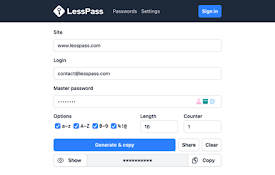
LessPass
chrome and firefox web extension for lesspass pass

Passman
Passman - NextCloud / ownCloud的密码管理器Password synch

Cyclonis Password Manager
Cyclonis Password Manager browser extensionCycloni

KeePassXC-Browser
KeePassXC 与现代 Web 浏览器的集成Official browser plugin fo

Enpass Password Manager
Enpass extension autofills logins, passwords, cred

KeePassHttp-Connector
KeePass integration for browsers using KeePassHttp
ChromeKeePass
Extension for automatically entering logins from K

KeePassHelper Password Manager
KeePass的帮助扩展,用于查找和插入凭证、生成密码或保存新的登录信息,无需手动复制和粘贴KeeP

URL in title
Reformats the title of each tab according to its U

Kee - Password Manager
Kee adds private, secure and easy password managem

xBrowserSync
Browser syncing as it should be: secure, anonymous