
Extension Manager Chrome 插件, crx 扩展下载
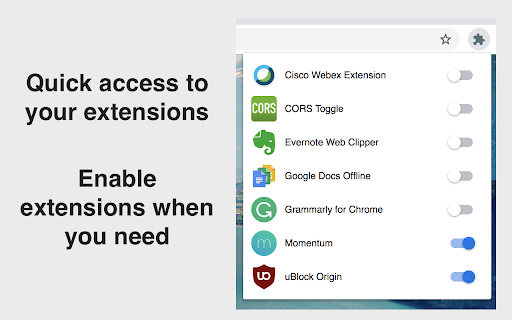
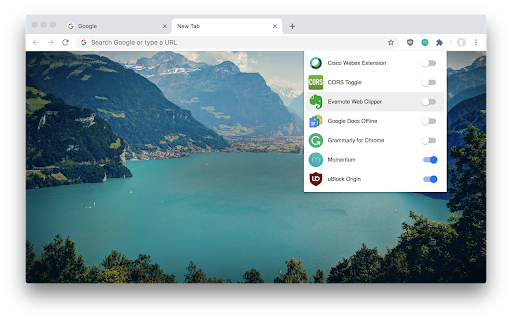
Quickly enable or disable extensions. No Ads. No nonsense.
PRIVACY POLICY
Let's keep it short and simple.
This extension does not collect data.
DESCRIPTION
★ No ads. No data collection.
★ No more grammar checker enabled all the time with access permissions to your webpages and clipboard, while you only need it when you write one of those important emails.
★ When you switch off an extension with Extension Manager, it is *effectively off*, unlike when using the "Disable" or "Pause" mode that some extensions are offering. You can always switch them back on very fast. You decide.
★ Less extensions enabled means faster navigation.
CHANGELOG
v.2.0.0
- Update to manifest v3
CHANGELOG
v1.4.0
- Add the ability to search through extensions
- Add access to extensions options page
- Settings icon is shown for active extensions which provide an option page
- Redesign browser action icon
- This is to avoid confusion with the informational popup related to extensions, introduced in Google Chrome version 83
| 分类 | 📝工作流程与规划 |
| 插件标识 | nddeiknmamlpagmnabfdlljlikeoanch |
| 平台 | Chrome |
| 评分 |
★★★★☆
4.5
|
| 评分人数 | 11 |
| 插件主页 | https://chromewebstore.google.com/detail/extension-manager/nddeiknmamlpagmnabfdlljlikeoanch |
| 版本号 | 2.0.1 |
| 大小 | 111KiB |
| 官网下载次数 | 3000 |
| 下载地址 | |
| 更新时间 | 2025-02-10 00:00:00 |
CRX扩展文件安装方法
第1步: 打开Chrome浏览器的扩展程序
第2步:
在地址栏输入: chrome://extensions/
第3步: 开启右上角的【开发者模式】
第4步: 重启Chrome浏览器 (重要操作)
第5步: 重新打开扩展程序管理界面
第6步: 将下载的crx文件直接拖入页面完成安装
注意:请确保使用最新版本的Chrome浏览器
同类插件推荐

Extension manager for Chrome™
Manage extensions, quickly enable/disable, remove
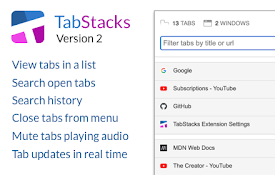
TabStacks: tab and history search
View and search through open tabs and browser hist

Manager
Chrome extension/apps managerManager allows you to

Ultra Button
控制一切的按钮!您现在能够在一个按钮中,使用大多数浏览器的功能 包含: 书签,扩充功能,下载管理,历

1-Click Extension Manager
Manage Chrome extension at the tip of your finger,

Extension Manager
Quickly enable or disable extensions. No Ads. No n

The Great Grouper
Flooded with tabs? Store them easily into groups,

Extension List
Extension ListManaging installed browser extension

扩展管家
扩展管家,快速的启用、禁用扩展主要功能: 1. 启用/禁用扩展 2. 禁用全部扩展 3. 恢复已禁扩

Extension Control
Elementary extension manager. Compact design, no s

Extension Manager
Extension that manages other extensionsIf you have

Extentie - 扩展程序管理器
漂亮而简单的扩展程序管理工具漂亮而又简单的弹出式 Chrome 扩展管理工具。 最近更新: - 现

Extensioner
Extension management is easier with Extensioner.v1