
OutlierClips Chrome 插件, crx 扩展下载
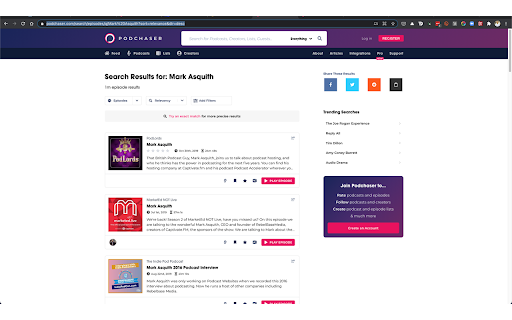
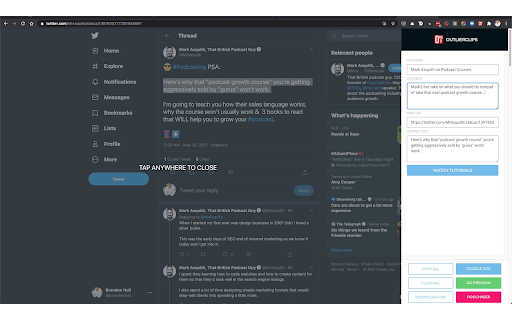
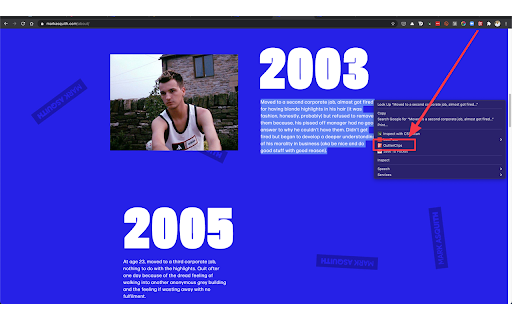
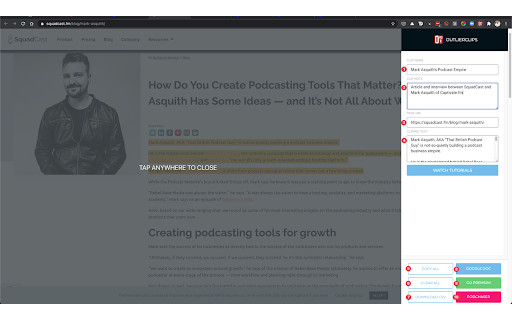
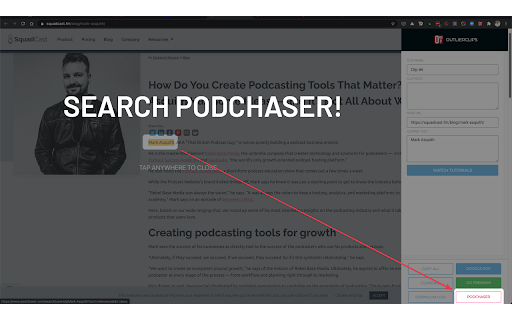
A free and private clipping tool for podcasters needing to capture text content to prepare their podcast episodes.
Clip and capture research to prepare for podcast episodes, blog posts, job interviews, sales meetings, or any other upcoming event. Search Podchaser.com for the person you're preparing to speak or meet with. Use whatever notes app you want to store your research.
---
Do you research your upcoming guests and/or topics to prepare your podcast?
Do you research people before meetings or sales calls?
If you're an outlier, you do.
As you search the Web for the person you're preparing to interview or meet with, you highlight a piece of content you want to save, activate the OutlierClips extension: clip full articles, bios, facts, notes, quotes, or any other text you come across online.
OutlierClips captures several bits of data with each clip: the text you highlighted, the page link where you clipped the content, the name you've given the clip, and any custom notes you've added about the clipped content. With complete privacy — no account needed.
Just keep clipping as you research. Spend 10 minutes, or an hour, or whatever amount of time researching your person or topic. OutlierClips adds each clip to your virtual clipboard (privately, securely), creating a clean, running log of organized, text-based content.
You can even highlight a person's first and last name, activate the extension, and perform a quick search on Podchaser.com to see if the person has said anything profound on recent podcast episodes. (Coming soon, you'll be able to quickly search LinkedIn as well.)
---
After your last clip, when your research session is done and you're ready to start reviewing all of your clips, you click the "Copy All" button in the OutlierClips sidebar, then paste all of your clips into the app of your choice — anywhere you store your notes and outlines for episodes.
No matter how many clips you captured. One or 1,000.
If you're using Google Sheets or Airtable or some other database to paste your content in a more structured way, OutlierClips can take things one step further: You can tap the "Download CSV" button at the bottom of the overlay after clipping your last item of research and the .csv file will download to your computer. You can then import all of your clips at once.
Faster research, encouraging you to prepare better for interviews, calls, meetings, or any upcoming event.
| 分类 | 📝工作流程与规划 |
| 插件标识 | nedaclhgmnpefbdepagkknapbgdalcej |
| 平台 | Chrome |
| 评分 |
★★★★☆
4
|
| 评分人数 | 4 |
| 插件主页 | https://chromewebstore.google.com/detail/outlierclips/nedaclhgmnpefbdepagkknapbgdalcej |
| 版本号 | 0.71 |
| 大小 | 36.03KiB |
| 官网下载次数 | 46 |
| 下载地址 | |
| 更新时间 | 2024-12-15 00:00:00 |
CRX扩展文件安装方法
第1步: 打开Chrome浏览器的扩展程序
第2步:
在地址栏输入: chrome://extensions/
第3步: 开启右上角的【开发者模式】
第4步: 重启Chrome浏览器 (重要操作)
第5步: 重新打开扩展程序管理界面
第6步: 将下载的crx文件直接拖入页面完成安装
注意:请确保使用最新版本的Chrome浏览器
同类插件推荐

Backnote
Saving text snippets made easy. Call a tab on hotk

Copy Notes, Text, Screenshots to Google Drive
One click to copy text, images, and screenshots to

LightNote for Chrome
LightNote is a web cliper. It can help you to coll

Listory
Collect, curate and share the best of the web.List

Blinknotes
Use Natural Language Processing to summarize news

OutlierClips
A free and private clipping tool for podcasters ne
MultiClip
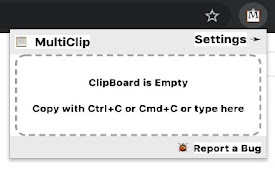
MultiClip 可以方便地将多个项目保存到剪贴板中,在需要时预览并有选择地粘贴它们MultiCl

Side Portal
Browse Wikipedia spatially with a graph view and a

Kollate
The only app you will ever need for bookmarking an
Anypage
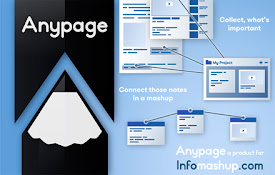
Anypage is a blogging/social platform tool that al

Context Sense
Extracts sentiment, tags, concepts and categories

Rumin
The fastest way to collect information from divers

Foragear- Quick Search Tool
Autoscroll to relevant sections of a page and have