
Defense against Distractions Chrome 插件, crx 扩展下载
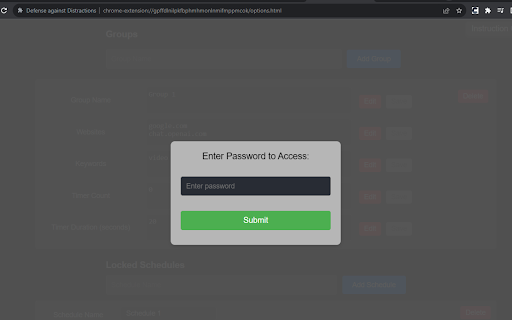

Allows you to block websites based on the text that appears on their pages.
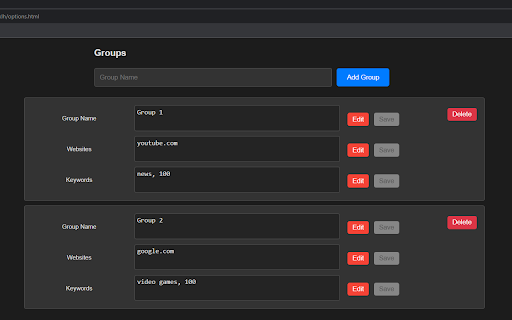
Hi! It's so easy to distract yourself on the internet and to procrastinate. This extension allows you to choose to block the websites based on the keywords you don't want to see appearing.
There are thousands of video games to play, news stories to read, video content to consume and so on. And often times this is what we do when the project deadline or exams are still far away. It's sometimes a bit hard to force yourself into doing what you need to do.
And distractions are everywhere! Even if you use StayFocusd or Cold Turkey or FocusMe to block some websites by their URLs, you can't block everything. For example even with ChatGPT you could talk about the news or video games if you really don't feel like studying/doing some work.
With this extension, you can block the websites based on words and phrases on their text.
Extension is open sourced:
https://github.com/molodchyk/Defense_against_Distractions.
Changelog
Version 1.1:
-added export/import functionality -added missing translations -bug fix: ChatGPT's stream of text is now properly detected
Version 1.2:
-websites from multiple groups can be applied to a single URL -the page closes automatically after being blocked, timers were removed
Version 1.3:
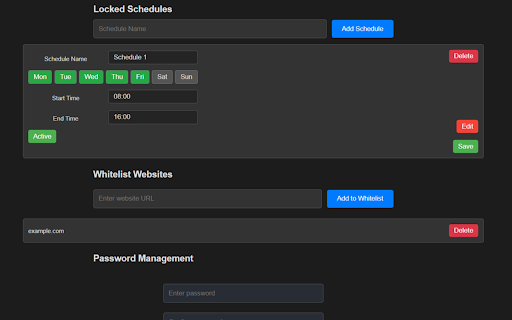
-keywords values can be increased during locked schedules -keywords can be shuffled during locked schedules -bug fix: keywords can be added again
Version 1.4.1:
increased storage for the website groups
improved error handling regarding storage
bug fix: redirection works as intended
| 分类 | 🛠️工具 |
| 插件标识 | nhkelkpefomnpeigoifhhlmajenkohfo |
| 平台 | Chrome |
| 评分 |
☆☆☆☆☆
0
|
| 评分人数 | 1 |
| 插件主页 | https://chromewebstore.google.com/detail/defense-against-distracti/nhkelkpefomnpeigoifhhlmajenkohfo |
| 版本号 | 1.4.1 |
| 大小 | 1.9MiB |
| 官网下载次数 | 40 |
| 下载地址 | |
| 更新时间 | 2024-04-14 00:00:00 |
CRX扩展文件安装方法
第1步: 打开Chrome浏览器的扩展程序
第2步:
在地址栏输入: chrome://extensions/
第3步: 开启右上角的【开发者模式】
第4步: 重启Chrome浏览器 (重要操作)
第5步: 重新打开扩展程序管理界面
第6步: 将下载的crx文件直接拖入页面完成安装
注意:请确保使用最新版本的Chrome浏览器
同类插件推荐

Meta-Press.es
Decentralized press meta-search engineExplore the

Userlove
Empower users with Userlove. Integrate product tou

Defense against Distractions
Allows you to block websites based on the text tha

hiper.cards - bookmarker, highlighter, tab manager
An app for managing tabs and bookmarks, sharing th

Debricked Select Extension
Open Source Select will help developers find and u

YouTube Bookmarker
Bookmark your YouTube video timestampsKeep track o

WorkStreamer Guide: Craft Screenshot Training Guides Incredibly Fast
Create beautiful training guides in minutes with t

GimmeThat - Universal Wishlist for Shopping
Simplify shopping with a universal wishlist. Save

Boss Hub | Signal YES
By Whatsapp & Telegram & SMS & Email s

GoldDust
Ask a question about a company or a person. If the

BoostPic - Search Google Images on the fly
Uncover the possibility to search Google Images qu

Salesforce Shortcuts
Provides quick shortcuts to most used URLs in Sale