
Asterix Chrome 插件, crx 扩展下载
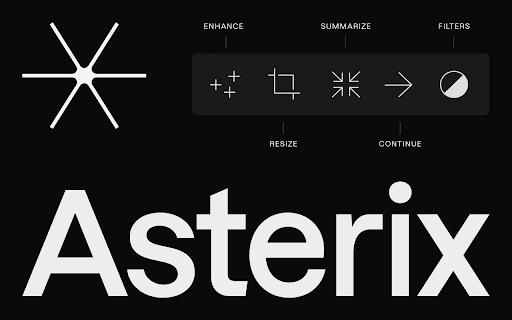

✍️Your writing, but better.
Asterix is an AI writing partner that takes you from draft to done quickly. With a clean and…
✍️Your writing, but better.
Asterix is an AI writing partner that takes you from draft to done quickly. With a clean and distraction-free design you can use anywhere on the web, Asterix helps you by quickly generating creative and effective alternatives for conveying your message.
Asterix features include:
✨Enhance: A first attempt at words can sometimes be a little rough. “Enhance” takes your first draft and bumps it up a notch.
✨Generate: Need a little help just getting started? Tell Asterix what you want to write about, and Generate will create a draft you can use right away or modify using Asterix tools.
✨Filter: We know you’re often writing for different audiences and need to change your voice accordingly, so Asterix offers tone options you can test side by side, like casual, energetic, concise, formal, confident, and friendly (plus some fun options like emoji, pirate, and Shakespeare). Need to change the tense or point of view? Done.
✨Resize: Are you too wordy (or not wordy enough)? We’ve got you covered with our resize feature that gets you to just the right word count.
✨Summarize: Sometimes you need to condense a block of text to make it concise and to the point. Asterix does that, too.
✨Contextual Suggestions: If you’re creating a header or a call to action, our context filter helps you find just the right wording to connect with your audience.
We update Asterix constantly based on user feedback. Tell us what you’d like to see in our next update by emailing us at [email protected].
| 分类 | 📝工作流程与规划 |
| 插件标识 | niplbaphdngbccoefbjgjjceimeielff |
| 平台 | Chrome |
| 评分 |
★★★☆☆
3
|
| 评分人数 | 4 |
| 插件主页 | https://chromewebstore.google.com/detail/asterix/niplbaphdngbccoefbjgjjceimeielff |
| 版本号 | 0.0.6 |
| 大小 | 78.37KiB |
| 官网下载次数 | 144 |
| 下载地址 | |
| 更新时间 | 2023-06-13 00:00:00 |
CRX扩展文件安装方法
第1步: 打开Chrome浏览器的扩展程序
第2步:
在地址栏输入: chrome://extensions/
第3步: 开启右上角的【开发者模式】
第4步: 重启Chrome浏览器 (重要操作)
第5步: 重新打开扩展程序管理界面
第6步: 将下载的crx文件直接拖入页面完成安装
注意:请确保使用最新版本的Chrome浏览器
同类插件推荐

IntentSeek
Highlight the text you want efficiently to summari

Boardist Web clipper
Strengthen your experience with boardist.ioStreaml

Phrases.ai (Early Adopter)
Turn anything into amazing English just by highlig
Alva AI - Your GPT AI Copilot
Alva AI is your trusted co-pilot system, adept at

Franz AI Text Rewriter
A Chrome extension to rewrite text using OpenAI AP

Boardflow
Visual Research Made EasyVisual Bookmarking Made E
Asterix
✍️Your writing, but better. Asterix is an AI wri
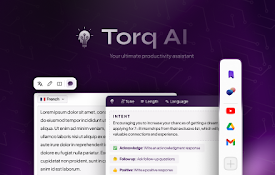
Torq AI: ChatGPT Powered AI Assistant
Harnessing the prowess of ChatGPT to revolutionize

Yooz - Advanced AI Writer
Advanced AI writer on every websiteIntroducing AI

YouTube Chatbot extension by Audio2Doc
A chatbot for YouTube videos by Audio2Doc.comThis

Aginsi - AI Summarizer & Research Toolbar
Your all-in-one research co-pilotSupercharge your
Outline: quick notes
An extension that let you save you quick notes whi

Saner.AI - Capture information instantly
Saner.ai seamlessly captures, organizes informatio