
Domain Age Checker Chrome 插件, crx 扩展下载

Check the age of any domain
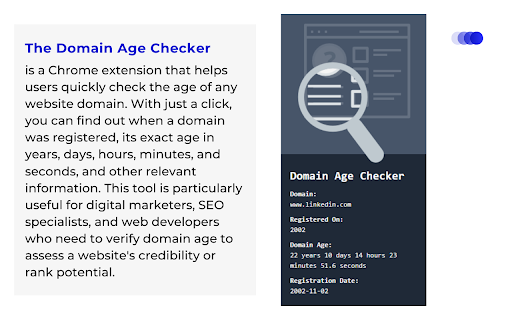
The Domain Age Checker is a Chrome extension that helps users quickly check the age of any website domain. With just a click, you can find out when a domain was registered, its exact age in years, days, hours, minutes, and seconds, and other relevant information. This tool is particularly useful for digital marketers, SEO specialists, and web developers who need to verify domain age to assess a website's credibility or rank potential.
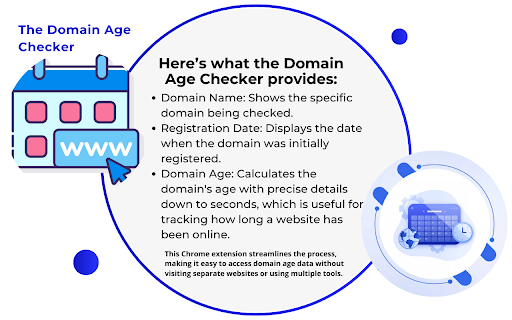
Here’s what the Domain Age Checker provides:
Domain Name: Shows the specific domain being checked.
Registration Date: Displays the date when the domain was initially registered.
Domain Age: Calculates the domain's age with precise details down to seconds, which is useful for tracking how long a website has been online.
| 分类 | 🛠️工具 |
| 插件标识 | nlhkpjbfggoggcencmojlgfbhbjfpjdd |
| 平台 | Chrome |
| 评分 |
★★★★☆
4.9
|
| 评分人数 | 8 |
| 插件主页 | https://chromewebstore.google.com/detail/domain-age-checker/nlhkpjbfggoggcencmojlgfbhbjfpjdd |
| 版本号 | 1.0 |
| 大小 | 180KiB |
| 官网下载次数 | 26 |
| 下载地址 | |
| 更新时间 | 2024-11-10 00:00:00 |
CRX扩展文件安装方法
第1步: 打开Chrome浏览器的扩展程序
第2步:
在地址栏输入: chrome://extensions/
第3步: 开启右上角的【开发者模式】
第4步: 重启Chrome浏览器 (重要操作)
第5步: 重新打开扩展程序管理界面
第6步: 将下载的crx文件直接拖入页面完成安装
注意:请确保使用最新版本的Chrome浏览器
同类插件推荐

Domain Age Checker | Site Age Checker
Free WHOIS extension to instantly check domain age
Domain Age Calculator
Get quick domain age information for any domainUnc

Free DA PA Checker Bulk - Chrome Extension
Easily check Domain Authority (DA) and Page Author

Domain Age Checker | Site Age Checker
A domain age checker is a WHOIS tool / extension t

X (Twitter) Auto Refresher
Auto refreshes X (Twitter) home pageEnhance your b
Domain Age Checker
Check the age of any domainThe Domain Age Checker

PumpExt - The ultimate pump.fun extension
Stay ahead of the game with real-time insights on

Free All-in-One SEO and Website Traffic Analysis Tool by AnalyzeSphere
All-in-one Chrome extension for SEO, traffic, and

Nova Extension
Buy, snipe & sell tokens on Solana using Nova

Phocaine
Extends Photon and BullX with some useful features

Hide Discord Sidebar
Hide Discord Servers and Channels! Installs a butt

Domain Age Checker - Site Age Checker, Check Age of Website Online
Check age of website online with our easy-to-use D

Domain Age Checker | Site Age Checker
Domain age checker is a whois tool / extension dev