
Tab Links Copier Chrome 插件, crx 扩展下载

Copy all the links from your current browser tab.
The Tab Links Copier is a Chrome extension that allows you to easily copy the URLs of links on a web page. It provides a convenient way to collect and save links for further use.
=== Features ===
• Copy the URLs of links on the current web page.
• User-friendly popup interface with a "Copy Links" button.
• Provides feedback to the user on the copy operation.
=== Installation ===
1. Open Google Chrome.
2. Go to the Chrome Web Store.
3. Search for "Tab Links Copier" and click "Add to Chrome."
4. The extension icon will appear in the Chrome toolbar.
=== Usage ===
1. Install the extension from the Chrome Web Store or load it as an unpacked extension.
2. Browse to a webpage with links.
3. Click the extension icon in the Chrome toolbar to open the popup.
4. Click the "Copy Links" button to copy the links.
=== Support ===
For any questions, issues, or feedback, please contact us at [email protected].
=== Donations ===
If you find this extension helpful and would like to support its development, consider making a donation at https://www.buymeacoffee.com/RealboyAdnan.
| 分类 | 🛠️工具 |
| 插件标识 | odnclbejioiopkapphmmcleefcafhmhe |
| 平台 | Chrome |
| 评分 |
★★★★☆
4.8
|
| 评分人数 | 4 |
| 插件主页 | https://chromewebstore.google.com/detail/tab-links-copier/odnclbejioiopkapphmmcleefcafhmhe |
| 版本号 | 1.0 |
| 大小 | 18.08KiB |
| 官网下载次数 | 34 |
| 下载地址 | |
| 更新时间 | 2023-10-21 00:00:00 |
CRX扩展文件安装方法
第1步: 打开Chrome浏览器的扩展程序
第2步:
在地址栏输入: chrome://extensions/
第3步: 开启右上角的【开发者模式】
第4步: 重启Chrome浏览器 (重要操作)
第5步: 重新打开扩展程序管理界面
第6步: 将下载的crx文件直接拖入页面完成安装
注意:请确保使用最新版本的Chrome浏览器
同类插件推荐
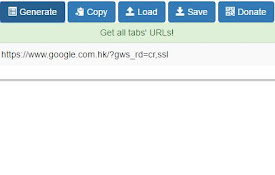
Easy Tab URL
Allow you get all tab's url, save to local fil

Tab Links Copier
Copy all the links from your current browser tab.T

Grab Urls
This is a chrome extension which grabs all Urls fr

Link Extractor V2
Extracts all links from a page and copies them to

Tab Link Copier
Copies the current tab's url and title as a ri

Copy Tabs Title URL
Copy the title and URL from a Chrome tabsThis exte

Copy All URLs (Free)
A simple Chrome extension to copy URLs of all open

QuickPad: fast Markdown notepad
An in-browser Markdown notepad. Optimize for writi

Read Later Tab
Read Later Tab helps to make progress with your re
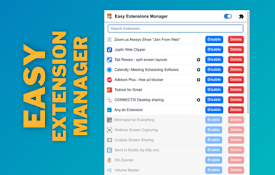
Easy Extensions Manager
Simplify extension management. Enable, disable, an

Extension Manager with Profiles
根据不同的配置文件禁用未使用的扩展程序,以释放其资源占用,并改善你的隐私。Extension man
TabMate
TabMate helps you manage the tab clutter. Easily s
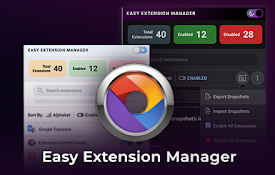
Easy Extension Manager
Effortlessly Manage Your Chrome ExtensionsEasy Ext