
RandomTV for Trakt Chrome 插件, crx 扩展下载
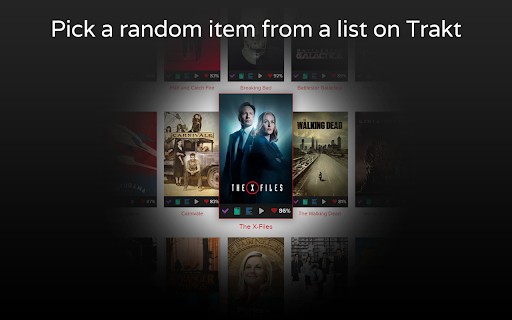
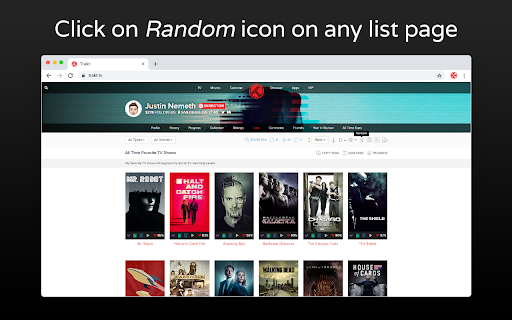
Pick a random item from a list on Trakt.
When we have a big list and don't know what to watch, choose a random item can be the solution. That's what RandomTV does! The extension will pick a random item from any list on Trakt.
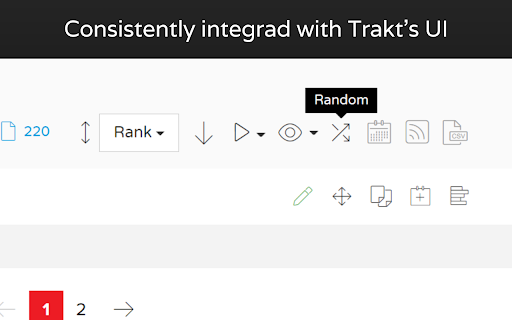
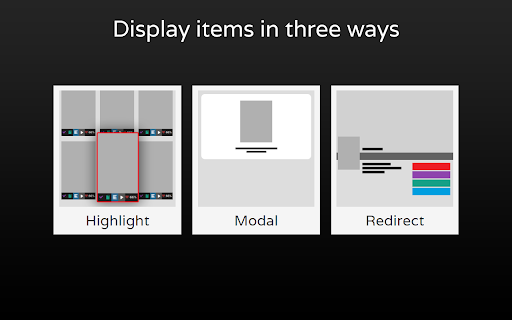
You just have to click on the Random button on the list you want a random item. Then, RandomTV will show the item in a modal, or highlight in the page or even redirect. You can set different ways to show the chosen item.
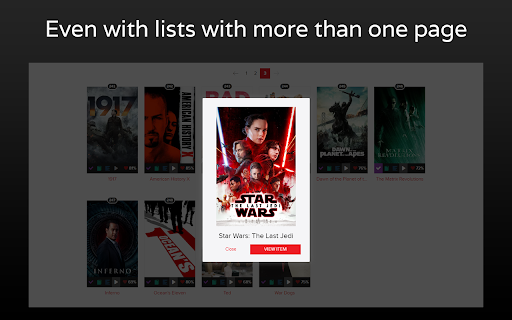
RandomTV also offers one more advanced thing: in lists with more than one pages (120+ items), all the items can be choosed, even the ones not in the current page. This ocorres because we offer the API method.
API: Uses Trakt's API to get items in lists with more than one page. Can't be used when: have filters that hide items (except "type" filter) or the list is private.
Local: Uses a script in the browser to get a item. Used when: the list have just one page, the server fails, have filters that hide items or the list is private.
Features:
Main
• Pick a random item from any list on Trakt (personal lists, watchlist, recommendations);
• Add a button on the list page which have a similar design to Trakt icons and have the tooltip when the mouse is hover, like in Trakt icons.
Display Options
• Display the picked item in three ways: modal (a popup with the cover and details), scroll and highlight the item in the current page and redirect to the item page;
Advanced
• Use Trakt's API when the list have more than one page to consider all the items that the list have;
• Disable or enable the Trakt's API method;
• Show which method (Local or API) was used to choose the item.
RandomTV is not related to Trakt and is an independent project.
| 分类 | 🎉趣味休闲 |
| 插件标识 | pfpgceagljbjijjfbhafopadmhdifoaa |
| 平台 | Chrome |
| 评分 |
★★★★★
5
|
| 评分人数 | 2 |
| 插件主页 | https://chromewebstore.google.com/detail/randomtv-for-trakt/pfpgceagljbjijjfbhafopadmhdifoaa |
| 版本号 | 1.0.0.0 |
| 大小 | 38.86KiB |
| 官网下载次数 | 47 |
| 下载地址 | |
| 更新时间 | 2022-07-17 00:00:00 |
CRX扩展文件安装方法
第1步: 打开Chrome浏览器的扩展程序
第2步:
在地址栏输入: chrome://extensions/
第3步: 开启右上角的【开发者模式】
第4步: 重启Chrome浏览器 (重要操作)
第5步: 重新打开扩展程序管理界面
第6步: 将下载的crx文件直接拖入页面完成安装
注意:请确保使用最新版本的Chrome浏览器
同类插件推荐

MAL Enhancer
Enhances MAL for a better user experience. Suggest

Imdb Watchlist Random Movie Generator
Chrome extension that generates a random movie fro

Trakt List Randomizer
Shows a random item on any Trakt listThis extensio

traktflix
A Trakt.tv scrobbler for Netflix.- Automatically s

RandomTV for Trakt
Pick a random item from a list on Trakt.When we ha

Trakt improver
Add various improvements to Trakt.tvAdd various im

Side Trakt (companion app for Trakt.tv)
Side Trakt, a chrome extension for Trakt.tvSide-tr

Universal Trakt Scrobbler
A universal sync for Trakt.tv.Scrobble your watche
MAL-Sync
将MyAnimeList/AniList/Kitsu/Simkl集成一体并具备剧集自动跟踪功能。MA

Enhancer for Netflix, Crunchyroll, etc
Show trailers, IMDb/Simkl ratings, secret categori
Simkl Lists: TV, Anime, Movies - TV Tracker
Keep track of your favorite TV Shows, Anime, and M

Movie Preview
By selected title shows brief information about mo

Hotkeys for YouTube Music™
Hotkeys for YouTube Music! Use your keyboard'