Extension Source Downloader Chrome 插件, crx 扩展下载
CRX扩展文件安装方法
第1步: 打开Chrome浏览器的扩展程序
第2步:
在地址栏输入: chrome://extensions/
第3步: 开启右上角的【开发者模式】
第4步: 重启Chrome浏览器 (重要操作)
第5步: 重新打开扩展程序管理界面
第6步: 将下载的crx文件直接拖入页面完成安装
注意:请确保使用最新版本的Chrome浏览器
同类插件推荐

Media Tools - Convert, Split & Extract
Manipulate media files (video & audio) via FFm

CRX Extractor/Downloader
Download CRX Files directly as crx or zip file dep

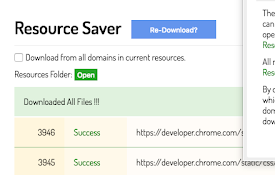
Resources Saver
Save all of a webpage's files while retaining

Chrome Extension Downloader (.crx file)
Download Chrome Extension Files directly as .crx o

Resources downloader
Download the resources displayed on a page easily!

Chrome extension source viewer
View source code of Chrome extensions, Firefox add

Extension Source Downloader
Download the source code for chrome extensions via

Advanced Dev Tools
This extension extends the capabilities of Chrome

Download Tools - Multi threaded
Multi-threaded download utility with aria2 engine

Ultra Button
控制一切的按钮!您现在能够在一个按钮中,使用大多数浏览器的功能 包含: 书签,扩充功能,下载管理,历

Extension Control
Elementary extension manager. Compact design, no s

Website Source Downloader
Website Source Downloader - A browser extension to
Save All Resources
Save all resources files with retaining folder str