AutoHighlight Input Chrome 插件, crx 扩展下载
CRX扩展文件安装方法
第1步: 打开Chrome浏览器的扩展程序
第2步:
在地址栏输入: chrome://extensions/
第3步: 开启右上角的【开发者模式】
第4步: 重启Chrome浏览器 (重要操作)
第5步: 重新打开扩展程序管理界面
第6步: 将下载的crx文件直接拖入页面完成安装
注意:请确保使用最新版本的Chrome浏览器
同类插件推荐

Tab-Link Highlighter
Highlights a link in a Google/GoogleScholar/Amazon

Mark Selected Links As Visited
Marks selected links as visited. If nothing is sel

Google Result Highlighter
Highlight google search results from trusted websi

Snap Scroll
Delightfully fast and precise scrolling via point

Search Box Focus
Press Tab to quickly access the main search bar or
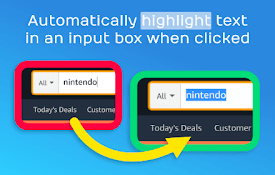
AutoHighlight Input
Automatically highlight text in an input box when
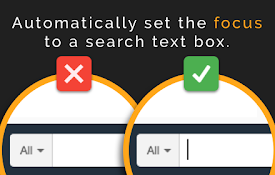
AutoFocus Cursor
Automatically set the focus to a search text box w

AutoFocus Pro
Automatically focus text boxes! Remembers your foc

谁需输鼠
按Ctrl+Shift+1(可以改)在带有文字框的网页上将光标放入最接近屏幕中间的文字框。为什么:

Input Cursor Focus
Focuses cursor in first text input if none is focu
Focus input element
Focuses on the next or previous HTML input element

Auto Highlight
Auto Highlight 将自动突出显示指定页面上的指定字词? Auto Highlight将自

Select To Highlight
Allow you to highlight the words in the web pages