
Code Review AI Chrome 插件, crx 扩展下载
? Level Up Your Coding with Code Optimizer Assistant!
Improve your code reviews with this handy Chrome extension. It helps you…
? Level Up Your Coding with Code Optimizer Assistant!
Improve your code reviews with this handy Chrome extension. It helps you quickly check and refine your code, whether you're working on a big project or a small script.
? Key Features:
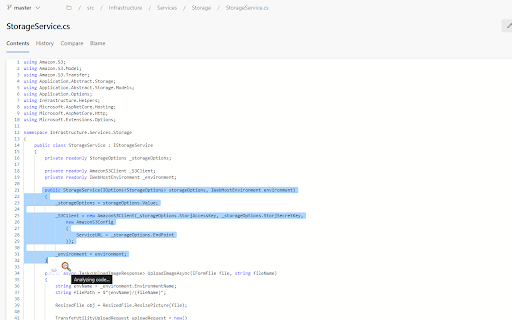
Instant Code Analysis ?
Automatically boost your code’s performance, readability, and maintainability with lightning-fast insights.
Modern, User-Friendly Interface ✨
Enjoy a clean, intuitive design with smooth transitions and responsive elements that make coding a breeze.
Syntax Highlighting ?
Powered by Prism.js, get crystal-clear syntax highlighting for multiple languages at a glance.
Copy & Share ?
Instantly copy optimized code snippets with one click and share them with your team effortlessly.
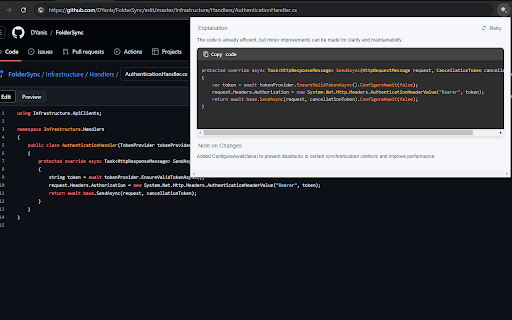
Retry Functionality ?
Not happy with the optimization? Click "Retry" to get a fresh, refined version of your code.
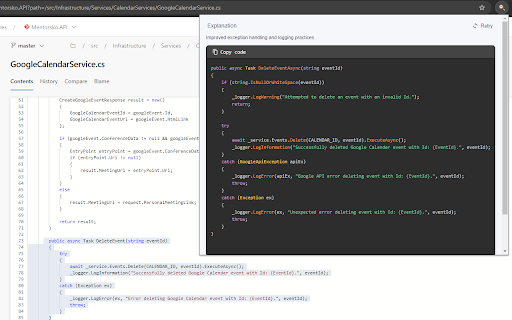
Detailed Explanations ?
Receive concise notes on every optimization so you can learn best practices and understand each improvement.
Important:
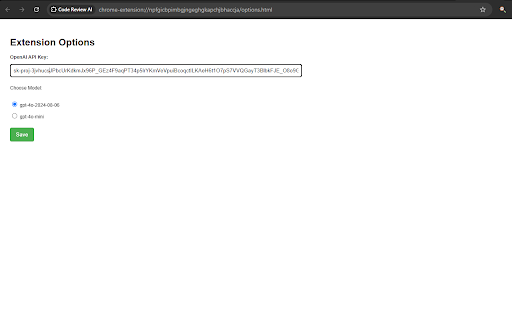
To get started, add your own OpenAI API key in the extension's options page for secure, personalized access to top-tier code analysis. Enjoy coding smarter and faster!
| 分类 | 💻开发者工具 |
| 插件标识 | aaajigonjhjgfdkgjjjgclionahlggdk |
| 平台 | Chrome |
| 评分 |
★★★★★
5
|
| 评分人数 | 1 |
| 插件主页 | https://chromewebstore.google.com/detail/code-review-ai/aaajigonjhjgfdkgjjjgclionahlggdk |
| 版本号 | 1.0.3 |
| 大小 | 45.49KiB |
| 官网下载次数 | 63 |
| 下载地址 | |
| 更新时间 | 2025-02-04 00:00:00 |
CRX扩展文件安装方法
第1步: 打开Chrome浏览器的扩展程序
第2步:
在地址栏输入: chrome://extensions/
第3步: 开启右上角的【开发者模式】
第4步: 重启Chrome浏览器 (重要操作)
第5步: 重新打开扩展程序管理界面
第6步: 将下载的crx文件直接拖入页面完成安装
注意:请确保使用最新版本的Chrome浏览器
同类插件推荐

Use Chat GPT On Any Website - Inline AI
Use GPT for running a quick prompt, fixing grammar
MATE: AI Code Review
Elevate your code quality with AI-driven reviews f

Qodo Merge: AI-Powered Code Reviews & Chat
Chat with your GitHub pull request code, and get A

Secure AI Generated Code
Automatically validates and reviews code generated
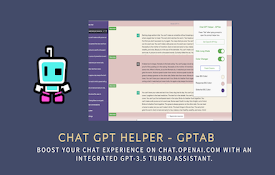
ChatGPT Helper - GPTab
Supercharge your ChatGPT experience with the ChatG

AI code analyzer
AI analyzes code with KuaFuAI to help you understa
Code Review AI
? Level Up Your Coding with Code Optimizer Assista
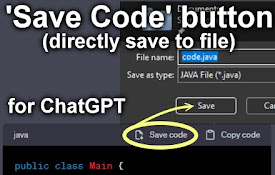
'Save code' button for ChatGPT
Adds a 'Save Code' button to directly save
CodeSensAI
Enhance your coding with AI-driven insights! CodeS

Codeium: AI Code Autocompletion on all IDEs
Your modern coding superpower. Get code completion
AI Code Generator
Using AI technology, convert screenshots, design d

AI Code Preview
Preview, copy, and download code from AI responses
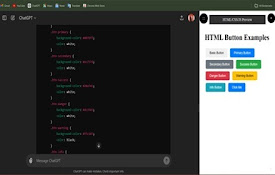
ChatGPT UI Preview
Introducing ChatGPT UI Preview! Now, seamlessly vi