
DataLayer Monitor Chrome 插件, crx 扩展下载
Monitor changes to the GTM dataLayer
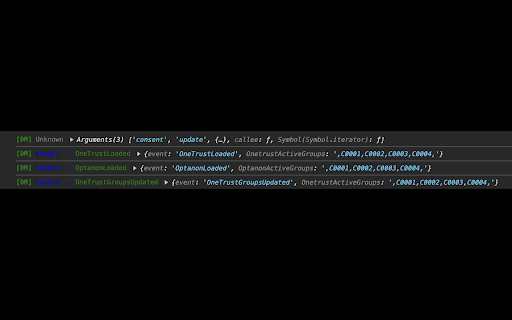
Easily monitor and log changes to the Google Tag Manager dataLayer in real-time. This extension helps developers and marketers track events and debug dataLayer updates effortlessly.
Real-time logging of dataLayer changes.
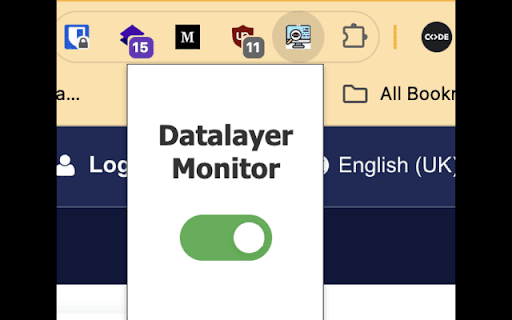
Toggle logging on or off via a simple popup interface.
Automatically injects into all web pages to monitor dataLayer from the start.
Usage trick:
When you are using it, you might wanna enable Preserve log on "Console" tab.
| 分类 | 💻开发者工具 |
| 插件标识 | akjdppkeopiokcdhngfldmakfpjlkmgj |
| 平台 | Chrome |
| 评分 |
★★★★★
5
|
| 评分人数 | 14 |
| 插件主页 | https://chromewebstore.google.com/detail/datalayer-monitor/akjdppkeopiokcdhngfldmakfpjlkmgj |
| 版本号 | 1.0 |
| 大小 | 21.61KiB |
| 官网下载次数 | 99 |
| 下载地址 | |
| 更新时间 | 2024-07-13 00:00:00 |
CRX扩展文件安装方法
第1步: 打开Chrome浏览器的扩展程序
第2步:
在地址栏输入: chrome://extensions/
第3步: 开启右上角的【开发者模式】
第4步: 重启Chrome浏览器 (重要操作)
第5步: 重新打开扩展程序管理界面
第6步: 将下载的crx文件直接拖入页面完成安装
注意:请确保使用最新版本的Chrome浏览器
同类插件推荐

TAGLAB - Analytics & Datalayer Console Viewer
Inspect & QA analytics tags, marketing tags, c

dataLayer Digger Plus
Help analysing the dataLayer for Google Tag Manage
DataLayer Monitor
Monitor changes to the GTM dataLayerEasily monitor

DataLayer Checker Plus
The simplest way to debug and verify dataLayer imp

MeasureMinds GTM tool
Export GTM versions to csv or to Google SheetsOver

GTM Watson
A GTM helper which let's you see events in rea

dataLayer Explorer
dataLayer Explorer is designed to simplify the ana

ObservePoint Debugger
Troubleshoot analytics tags, variables, events, co

Debugger for Google Analytics 4 (GA4)
Browser DevTools extension for debugging Google An

TagHound - Analytics/GTM/Pixel Debugger
Debug Google Analytics, Google Tag Manager dataLay

Da Vinci Tools
The Supermetrics Google Marketing Platform power t

GTM Sonar
Debug your page template to see if it works with G

Adswerve - dataLayer Inspector+
DataLayer Tools for Digital AnalystsThe Adswerve d