
Smartcat Agent Chrome 插件, crx 扩展下载
Transform your multilingual content with Smartcat Agent.
Transform your multilingual content with Smartcat Agent.
Say goodbye to manual content translation processes! Smartcat Agent seamlessly integrates with your source content, enabling you to translate content, like entire e-learning courses in Articulate Rise and other sources, with just one click - including text, images, audio, video, and accompanying files.
Smartcat leverages advanced AI translation technology combined with human expertise to deliver superior quality translations. The platform automatically selects the best translation engine for your language pair from industry leaders like OpenAI, DeepL, Amazon MT, Google, ModernMT, and Yandex, while incorporating your brand voice, terminology, and past translations for consistent results.
How to use Smartcat Agent:
1. Install the Smartcat Agent extension and activate it in your browser
2. Log in to your Smartcat account
3. Navigate to any content you want to translate
4. Click "Translate in Smartcat" to automatically transfer the content to Smartcat for translation if using Articulate Rise, or paste text in from other sources
5. After translation is complete, download the translated content for use.
That's it! Creating multilingual content has never been more efficient!
Key Features:
- Translate complete content from Articulate Rise including all assets (text, images, audio, video)
- Paste in text from any source to create a project
- Maintain brand consistency with custom glossaries and translation memory
- Collaborate seamlessly with subject matter experts and language professionals
- Track progress and manage review workflows
- Access 280+ supported languages
What is Smartcat? Smartcat is a comprehensive content generation and translation platform that enables transformation of enterprise multilingual content. With a built-in marketplace of 500,000+ expert suppliers and companies, Smartcat can help take your multilingual content strategy to the next level.
For feedback or suggestions, please leave a review in the Reviews tab or contact our support team.
| 分类 | 📝工作流程与规划 |
| 插件标识 | fcacddefhoikdgoipclmkgacbnndohoj |
| 平台 | Chrome |
| 评分 |
★★★★★
5
|
| 评分人数 | 5 |
| 插件主页 | https://chromewebstore.google.com/detail/smartcat-agent/fcacddefhoikdgoipclmkgacbnndohoj |
| 版本号 | 1.5.1 |
| 大小 | 1.54MiB |
| 官网下载次数 | 708 |
| 下载地址 | |
| 更新时间 | 2025-02-24 00:00:00 |
CRX扩展文件安装方法
第1步: 打开Chrome浏览器的扩展程序
第2步:
在地址栏输入: chrome://extensions/
第3步: 开启右上角的【开发者模式】
第4步: 重启Chrome浏览器 (重要操作)
第5步: 重新打开扩展程序管理界面
第6步: 将下载的crx文件直接拖入页面完成安装
注意:请确保使用最新版本的Chrome浏览器
同类插件推荐

Scroid — Smartcat on Steroids
An extension that adds additional features to your

Hola Translator for Chrome
Translate Page and Text in BrowserThe new Hola Tra

iTranslator - Select to Translate
Translate sentences or words to another language s

Mouse Translator
Mouse Translator指词翻译,使用鼠标快速查看单词解释。
Smartcat Agent
Transform your multilingual content with Smartcat

Intento Translator
Intento MT Hub provides access to 20+ machine tran

AI Translator
Translate text into any language, perfectly. bette

轻氧翻译
划词翻译,电子科技、金融、电商等专业领域翻译,提供多端收藏管理及语言学习提供金融,医疗,电子科技,机
右键翻译 - GPT驱动的翻译
右键点击即可翻译成任意语言Translate web page from any language

Memslate
Memslate > Memorize your TranslationsThe Memsla
Vision Translate - Smart highlight translator
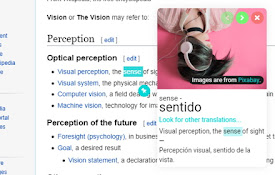
A popup translate extension for the visual type.•

Lingvanex - Online Text and Voice Translator
Lingvanex online text and voice translator provide