
Chrome 和 Gmail 版 SendSafely 加密 Chrome 插件, crx 扩展下载
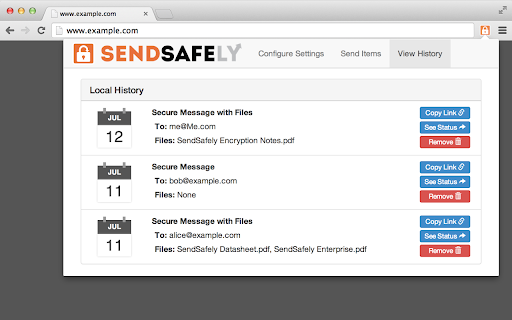
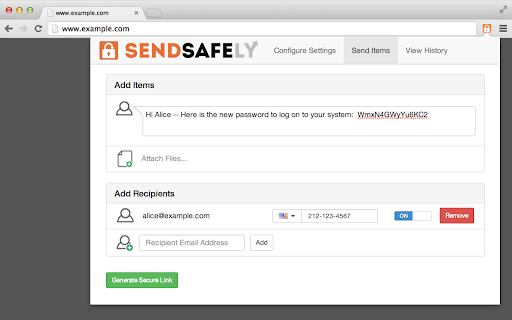
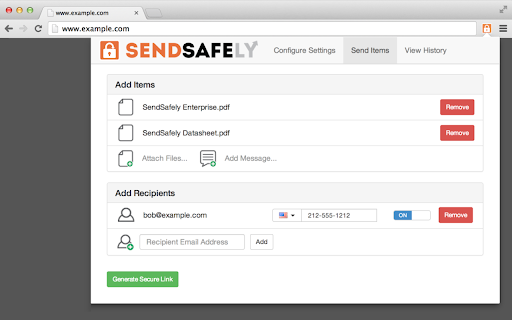
为 Gmail 提供端到端加密的 Chrome 扩展程序。加密私密的电子邮件,安全地共享最大 10GB 的文件。
With the SendSafely Chrome Extension, you can send encrypted files and messages directly from Gmail or using our Chrome pop-out menu. It's never been easier for Chrome or Google Mail users to use SendSafely.
SendSafely is an end-to-end encryption platform that eliminates the need for pre-shared encryption keys and passwords. With SendSafely, nobody other than you and the people you send items to can view them...not even us.
- Built on OpenPGP: OpenPGP is the most widely used email encryption standard in the world. It's been in development and use for years, and proves to be the best encryption available today.
- Multi Factor Authentication: We offer an extra layer of security to keep your information secure. When users access items sent using SendSafely, they are prompted for a username and password, along with a unique SMS code.
- No Software for Recipients: With SendSafely, the people you share items with don't need to download or install on anything on their computer. If they have a web browser, they can receive your files.
| 分类 | 💬沟通 |
| 插件标识 | glpichgelkekjnccdflklcclhnoioblm |
| 平台 | Chrome |
| 评分 |
★★★☆☆
3.8
|
| 评分人数 | 4 |
| 插件主页 | https://chromewebstore.google.com/detail/chrome-和-gmail-版-sendsafe/glpichgelkekjnccdflklcclhnoioblm |
| 版本号 | 1.10.6.1 |
| 大小 | 1.48MiB |
| 官网下载次数 | 30000 |
| 下载地址 | |
| 更新时间 | 2025-01-22 00:00:00 |
CRX扩展文件安装方法
第1步: 打开Chrome浏览器的扩展程序
第2步:
在地址栏输入: chrome://extensions/
第3步: 开启右上角的【开发者模式】
第4步: 重启Chrome浏览器 (重要操作)
第5步: 重新打开扩展程序管理界面
第6步: 将下载的crx文件直接拖入页面完成安装
注意:请确保使用最新版本的Chrome浏览器
同类插件推荐

UserVoice Feedback Capture
Capture feedback on behalf of customers and save i

XQ Secure Gmail
Data protection and email security for professiona

Secure Exchanges for Gmail
Protect your Gmail email exchanges with a strong e

FlowCrypt: Encrypt Gmail with PGP
Simple end-to-end encryption to secure email and a

Lockmagic Gmail Encryption
Send secure, end to end encrypted email messages t

Message Secure Send
This extension securely encrypts/decrypts Gmail™Me
E-mail Encryptor for GMail
Google Chrome plug-in for your e-mail encryption.S
PassLok for Email
High security encryption for email. PassLok is in

Virtru Email Protection
Surprisingly easy email protection and control for

Glean
Glean unlocks your company’s knowledge and enables

Chrome 和 Gmail 版 SendSafely 加密
为 Gmail 提供端到端加密的 Chrome 扩展程序。加密私密的电子邮件,安全地共享最大 10G

Guru
Your team’s collective knowledge and process docum