
Parroteer Chrome 插件, crx 扩展下载
No-code test automation solution for end-to-end testing
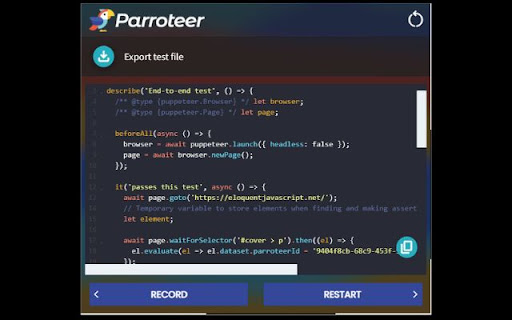
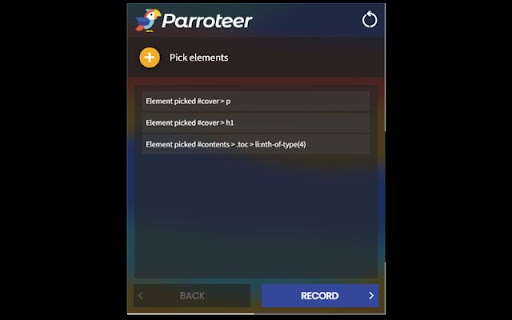
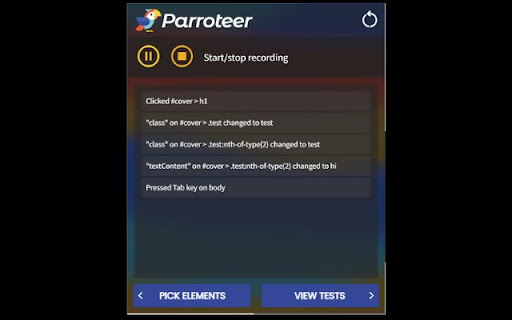
Parroteer allows you to generate end-to-end tests simply by using your website. Pick the elements you want to watch for changes, interact with your page just as a user would, and have Puppeteer scripts generated for you with built in test assertions using Jest!
Features
Select specific elements on the page to observe for changes
Record user interactions and changes that occur in tracked elements
Auto-generation of Jest-Puppeteer tests
View, edit, and copy or download generated code
| 分类 | 💻开发者工具 |
| 插件标识 | jhmmibbfaefjjbpgpcjomgabpegnmddj |
| 平台 | Chrome |
| 评分 |
★★★★★
5
|
| 评分人数 | 1 |
| 插件主页 | https://chromewebstore.google.com/detail/parroteer/jhmmibbfaefjjbpgpcjomgabpegnmddj |
| 版本号 | 1.0.0 |
| 大小 | 1.09MiB |
| 官网下载次数 | 27 |
| 下载地址 | |
| 更新时间 | 2022-07-25 00:00:00 |
CRX扩展文件安装方法
第1步: 打开Chrome浏览器的扩展程序
第2步:
在地址栏输入: chrome://extensions/
第3步: 开启右上角的【开发者模式】
第4步: 重启Chrome浏览器 (重要操作)
第5步: 重新打开扩展程序管理界面
第6步: 将下载的crx文件直接拖入页面完成安装
注意:请确保使用最新版本的Chrome浏览器
同类插件推荐

autotest.tech - Automated Test Script Generator
Generate automation scripts in all most popular te

Simple proxy for puppeteer
Set a proxy for the browser, can be used with pupe

Agility RPA
Agility RPA Integration with Chrome.Make RPA Chrom

Export cookie JSON file for Puppeteer
Export a cookie JSON file that can be imported by

WinTask Browser Automation
WinTask component browser automation. This extensi

Microbots AI Platform
This extention allows to build automations using p

Playwright Chrome Recorder
Playwright extension for DevTools that allows you

Puppeteer IDE
Develop, test and execute puppeteer scripts from b

Parroteer
No-code test automation solution for end-to-end te

AuTomato - Easy E2E tests and web automation
Automate your web tasks or make E2E testing easier
Automize - Testing/Scraping Tool
Say goodbye to tricky element selection. Simplify

Embtion - Web Browser Automation
Automate web browser through connecting nodes, no

Record/Replay
Browser automation package. Easy to use and open s