
SpinMonitor – Free Extension Security Checker Chrome 插件, crx 扩展下载
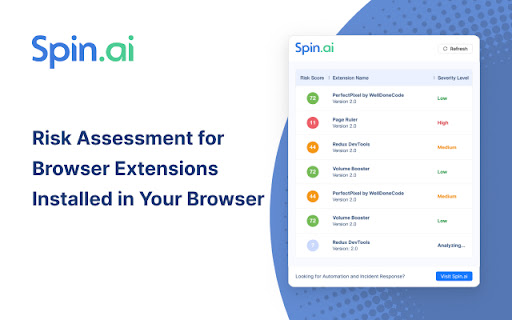
Risk Assessment for Browser Extensions Installed in Your Browser.
SpinMonitor for Work detects and assesses the risk of all browser extensions, including those pushed directly to the browser, providing full visibility into the potential business, security, and compliance risks of each extension. With SpinMonitor, IT and SecOps teams have a proactive, automated solution for reducing browser extension risk.
SpinMonitor audits the following key factors:
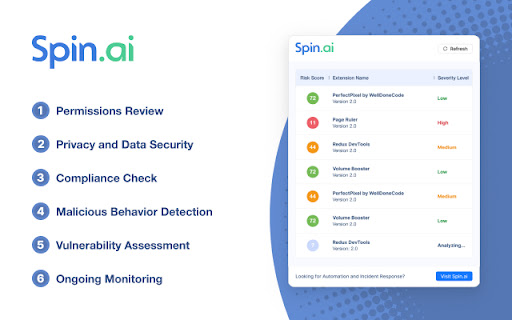
- Permissions Review – Assessing the permissions that a browser extension requests, such as access to sensitive data or services, to determine if they are necessary or excessive.
- Privacy and Data Security – Evaluating how an extension handles user data, whether it collects or shares it with third parties, and whether it aligns with privacy policies or regulations like GDPR or CCPA.
- Malicious Behavior Detection – Identifying any potentially harmful or suspicious activities of the extension, such as injecting malicious scripts, stealing credentials, or engaging in phishing.
- Compliance Check – Ensuring that browser extensions comply with organizational security policies, industry regulations, or legal standards related to data protection and cybersecurity.
- Vulnerability Assessment – Analyzing the extension for any security flaws, unpatched vulnerabilities, or weak coding practices that could be exploited by attackers.
- Ongoing Monitoring – Continuously tracking updates or changes in the extension's behavior, permissions, or ownership to detect new risks as they emerge over time.
| 分类 | 🔒隐私 |
| 插件标识 | jneengmoidhpgoofcmppcleobnhmcido |
| 平台 | Chrome |
| 评分 |
★★★★☆
4.3
|
| 评分人数 | 6 |
| 插件主页 | https://chromewebstore.google.com/detail/spinmonitor-–-free-extens/jneengmoidhpgoofcmppcleobnhmcido |
| 版本号 | 1.5 |
| 大小 | 101KiB |
| 官网下载次数 | 4000 |
| 下载地址 | |
| 更新时间 | 2024-12-18 00:00:00 |
CRX扩展文件安装方法
第1步: 打开Chrome浏览器的扩展程序
第2步:
在地址栏输入: chrome://extensions/
第3步: 开启右上角的【开发者模式】
第4步: 重启Chrome浏览器 (重要操作)
第5步: 重新打开扩展程序管理界面
第6步: 将下载的crx文件直接拖入页面完成安装
注意:请确保使用最新版本的Chrome浏览器
同类插件推荐

Secure website with AI - SecurityInfinity
Secure your website in 10 minutes in one click. AI

Sonatype Platform浏览器扩展
通过Sonatype Platform浏览器扩展来达到“安全左移”——扫描开源仓库以检测已知漏洞。C

Extension Auditor - Security & Privacy Analyzer
Analyze and monitor browser extensions for securit

Defendly
Security Chrome Extension users can effortlessly e
SpinMonitor – Free Extension Security Checker
Risk Assessment for Browser Extensions Installed i

ManifestViewer
View other extensions manifest.json file!Allows yo

JumpCloud Password Manager
Securely manage and share passwords & 2FA with

Browser Time
Track your browsing timeBrowser Time: Take Control

Cybor Protection System
CYBOR Protection System - reliable protection of p

FDev Security
You are protected absolutely with our awesome feat

Cinematic for YouTube™
Transform your YouTube into a Netflix-style experi

rockstar
rockstar adds a bunch of great features to Okta, l

Emsisoft Browser Security
Blocks dangerous websites that distribute malware