
URL Decoder Chrome 插件, crx 扩展下载
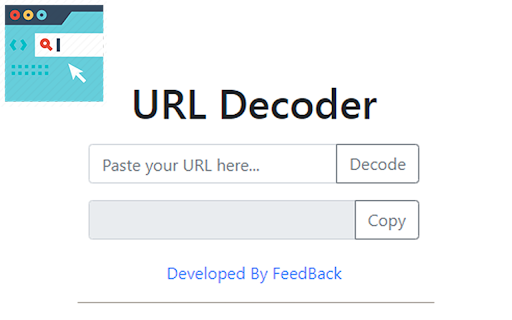
URL Decoder is a simple yet powerful Chrome extension designed to enhance your browsing experience. This handy tool allows you to…
URL Decoder is a simple yet powerful Chrome extension designed to enhance your browsing experience. This handy tool allows you to decode URL-encoded strings, a common encoding scheme used in web addresses, directly from your browser.
Here's how it works: When you enter a URL into the tool, it automatically decodes any URL-encoded characters into a more human-readable format using UTF-8 encoding. The decoded URL is then immediately copied to your clipboard for ease of use, and you receive an alert to confirm this action.
But that's not all. URL Decoder also includes a history feature, allowing you to revisit any URLs you've decoded in the past. With a single click, you can view a list of all previously entered URLs and their corresponding decoded outputs.
Whether you're a developer who frequently works with URLs, or just someone who wants to understand what those strange characters in your address bar mean, URL Decoder is a handy tool to have at your disposal.
| 分类 | 📝工作流程与规划 |
| 插件标识 | mjdngcooelbobfkecbbeainicbhhcbao |
| 平台 | Chrome |
| 评分 |
★★★★★
5
|
| 评分人数 | 1 |
| 插件主页 | https://chromewebstore.google.com/detail/url-decoder/mjdngcooelbobfkecbbeainicbhhcbao |
| 版本号 | 1.5 |
| 大小 | 13.1KiB |
| 官网下载次数 | 225 |
| 下载地址 | |
| 更新时间 | 2023-08-02 00:00:00 |
CRX扩展文件安装方法
第1步: 打开Chrome浏览器的扩展程序
第2步:
在地址栏输入: chrome://extensions/
第3步: 开启右上角的【开发者模式】
第4步: 重启Chrome浏览器 (重要操作)
第5步: 重新打开扩展程序管理界面
第6步: 将下载的crx文件直接拖入页面完成安装
注意:请确保使用最新版本的Chrome浏览器
同类插件推荐

Google URLS decoder
Decode encoded arabic - and hebrew - urls in Googl

FeedBot: WhatsApp Bulk Messaging
Ultimate tool for bulk messaging,reminders and con

URL Encode & Decode
Easily encode and decode URLs directly from your b

URL Referral Decoder
Quickly get the true destination URL rather than u

One Click URL Decoder
Just click on the icon. It will decode and copy to
URL Decoder
URL Decoder is a simple yet powerful Chrome extens

html2md
Convert Selected HTML to MarkdownEasy-to-use keybo

Base64 URL Decoder & Opener
Decode a base64 URL (even encoded twice) and open

Decode Current URL
Takes the URL of the current tab, decodes it, and

Encoder / Decoder
HTML encoder/decoder. URL encoder/decoder.Easily l

Coursera Mini Video Player Resizer
This makes Coursera mini video players resizable!Y

ReadAnything
Read anything with the power of AIAre you bothered