
ЛЕКСИКА! - Vocabulary Tool for Russian and Korean Chrome 插件, crx 扩展下载
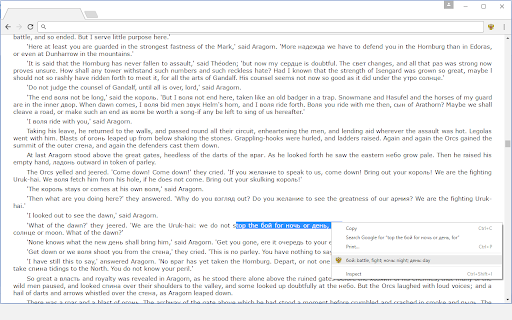
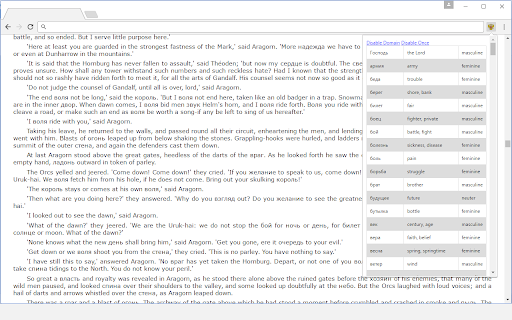
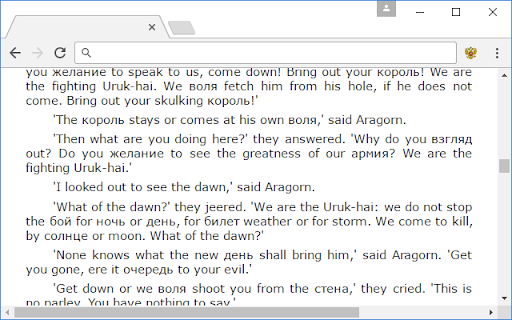
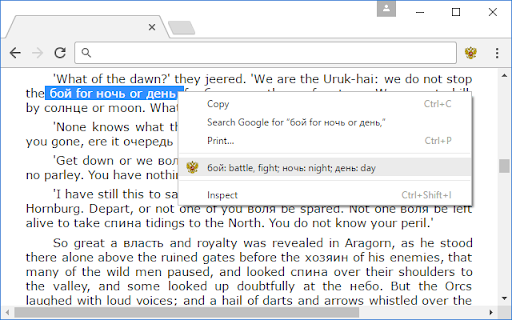
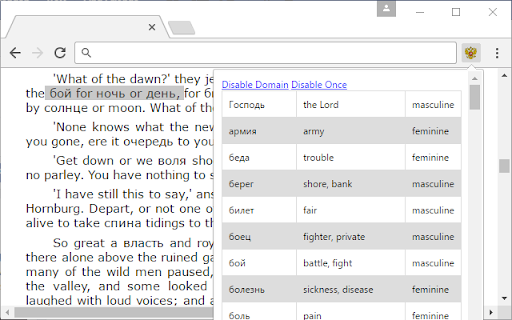
This extension replaces certain English nouns on a webpage with their target language equivalents.
This is a simple extension to help you expand your vocabulary in a new language. Once installed, the extension will automatically scan every website you visit for word pairs in the target language and swap in the translations.
If a foreign word is giving you trouble, you can easily highlight it and right-click to have the English translation listed for you. Click the word in the context menu to hear the word's pronounciation. You can also open up the extension menu to see the entire dictionary of words for that page, along with information on word gender and number.
Extension settings allow you to change the density and difficulty of the foreign words used.
Sometimes you might want to quickly read a page in English if the foreign words are giving you trouble: simply press "Disable Once" in the extension's menu to switch the page back to the original English. Alternatively, if you want to prevent pages on a given website from ever being altered, just press "Disable Domain" in the extension menu.
The ONLY information stored by the extension is which sites you've chosen to disable it on. No ads, free forever, etc etc.
Languages supported:
* Russian
* Korean
UPDATE (v2.0.0): updated for compatibility with Manifest v3, and added support for Korean in addition to the original Russian
| 分类 | 📚教育 |
| 插件标识 | nhkfellofhhgdjhhlpmjpfkakobinldf |
| 平台 | Chrome |
| 评分 |
★★★★☆
4.1
|
| 评分人数 | 19 |
| 插件主页 | https://chromewebstore.google.com/detail/лексика-vocabulary-tool-f/nhkfellofhhgdjhhlpmjpfkakobinldf |
| 版本号 | 2.0.0 |
| 大小 | 77.59KiB |
| 官网下载次数 | 111 |
| 下载地址 | |
| 更新时间 | 2024-06-01 00:00:00 |
CRX扩展文件安装方法
第1步: 打开Chrome浏览器的扩展程序
第2步:
在地址栏输入: chrome://extensions/
第3步: 开启右上角的【开发者模式】
第4步: 重启Chrome浏览器 (重要操作)
第5步: 重新打开扩展程序管理界面
第6步: 将下载的crx文件直接拖入页面完成安装
注意:请确保使用最新版本的Chrome浏览器
同类插件推荐

Zhongzhong: An improved Chinese Dictionary
Currently the best Chinese popup dictionary. More

LinguaLeo Russian Search
Позволяет искать английские слова по их переводу в

RUSSIANEASY view Russian web in Latin letters
One-click romanize/transliterate Russian/Cyrillic
ЛЕКСИКА! - Vocabulary Tool for Russian and Korean
This extension replaces certain English nouns on a

Slava Russian Dictionary
This extension writes accents on Russian words, an
RussianGram
Adds stress marks to Russian websitesDouble-click

Panlatin
Display non-Latin texts with Latin letters and add
WordSwap
Passive vocabulary building extensionWordSwap is t
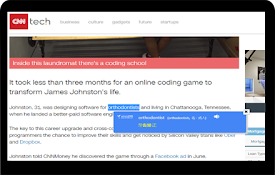
38-Language Tooltip Dictionary
38-Language Dictionary using Tooltip"Extract
Memslate
Memslate > Memorize your TranslationsThe Memsla
Learn Russian
An extension for Learn Russian Audio PlayerThis is

Learning Languages with Texts in your Content
Learning with Texts | Save Vocabulary in Content w
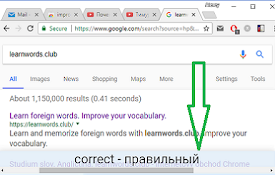
Vocab Expander: learn english
Learn english (and other) words. Sync your progres