
Bluedot: AI notetaker & Meeting Recorder Chrome 插件, crx 扩展下载

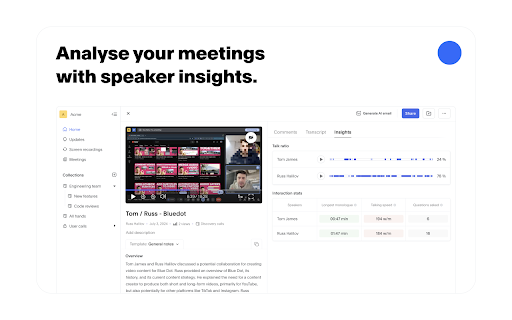
The most accurate AI notetaker for Google Meet.
✨ Key features:
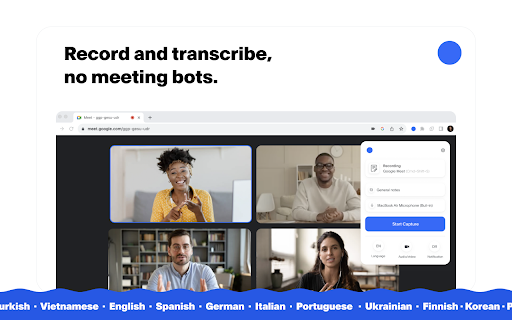
?️ Meeting recorder: Record and transcribe your Google Meet calls.
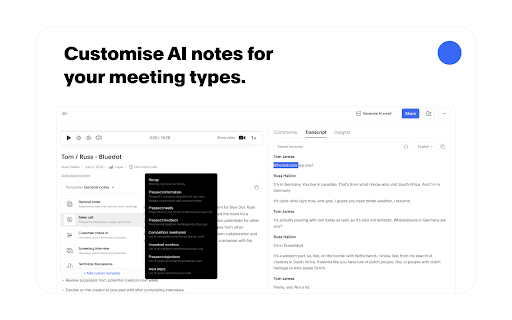
? AI notetaker for Google Meet: Generate AI meeting notes adapted to your use case (customer calls, all-hands, etc.)
⚙️ Automatically update your CRM, Notion, and more.
?️ Screen recorder: Record your screen and audio.
✨ Meeting highlights: Clip and share meeting moments.
? Annotation & comments: Annotate a particular part of your screen and leave time-based comments.
?️ Video editing: We transcribe all your recordings and then let you edit your video simply by editing the transcript. Delete an umm, an ah or a whole sentence!
? Video hosting: Store and organise all your videos in one place, using collections.
| 分类 | 📝工作流程与规划 |
| 插件标识 | aeeninnnlhgaojlolnbpljadhbionlal |
| 平台 | Chrome |
| 评分 |
★★★★☆
4.3
|
| 评分人数 | 791 |
| 插件主页 | https://chromewebstore.google.com/detail/bluedot-ai-notetaker-meet/aeeninnnlhgaojlolnbpljadhbionlal |
| 版本号 | 0.0.93 |
| 大小 | 2.07MiB |
| 官网下载次数 | 30000 |
| 下载地址 | |
| 更新时间 | 2025-02-24 00:00:00 |
CRX扩展文件安装方法
第1步: 打开Chrome浏览器的扩展程序
第2步:
在地址栏输入: chrome://extensions/
第3步: 开启右上角的【开发者模式】
第4步: 重启Chrome浏览器 (重要操作)
第5步: 重新打开扩展程序管理界面
第6步: 将下载的crx文件直接拖入页面完成安装
注意:请确保使用最新版本的Chrome浏览器
同类插件推荐

Beesy: Record Google Meets
Record & Transcribe Google Meets locally to yo

ScreenApp - Record and take AI notes of meetings, videos, calls & lectures
Easily record your screen and audio with ScreenApp

Bluedot: AI notetaker & Meeting Recorder
The most accurate AI notetaker for Google Meet.✨ K

PeopleForce Prospector
The best All-In-One HR software to manage your wor

Meet Assistant
Only way for you to record your precious meetings

Audio Capture for Web
The audio recording extension is a valuable tool f

Chrome Audio Capture
This extension captures the audio on the current t
Audio & Voice Recorder
Online voice recorder app helps you to record audi
Volume Recorder – Capture, Record, Save Sound!
Audio capture extension is a useful tool for anyon

Tactiq: ChatGPT 会议总结
在Google Meet、Zoom和MS Teams上体验超准确的ChatGPT会议摘要和转录。再也

Scribbl: AI Meeting Notes for Google Meet
Scribbl can record, transcribe, and generate incre

Claap - Meeting & Screen Recording
Summarize meetings on Google Meet 50x faster, reco
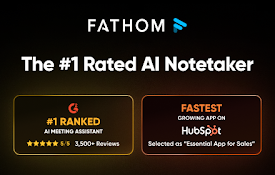
Fathom AI Note Taker for Google Meet
Records, transcribes & summarizes meetings FRE