
Extension for Duolingo Chrome 插件, crx 扩展下载
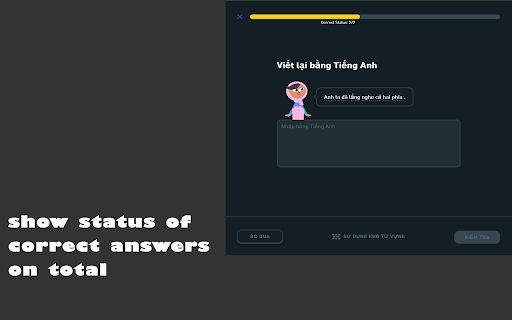
Extension for Duolingo to support some features like: remove tournament board, short-cut in practice and more...
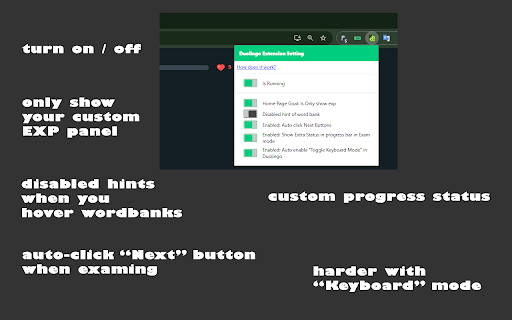
Click on extension icon in toolbar to update setting of extension.
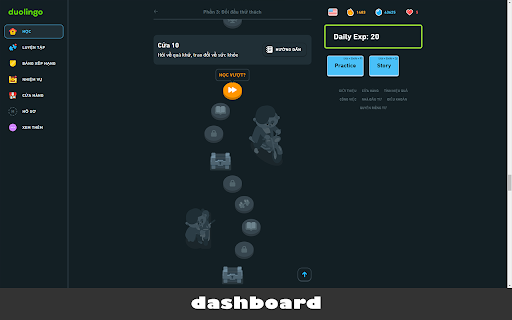
Add up some features when access Duolingo exam: change dashboard UI, add shortcuts in dashboard, exam and story context.
Note:
This extention will make your learning more difficult with no hints any more and you must use keyboard to enter answer without vocabularies.
---
** Keyboard Shortcuts **
* Exam Context
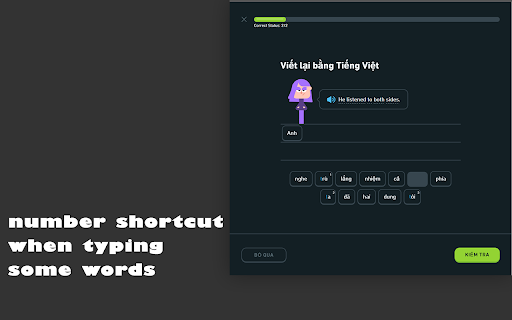
`Digit Keyboard`: to select on selectable buttons correspondingly in exam context.
`Esc`: To ignore the current question.
`Ctrl + Space`: To make Duo speaking again current sentence.
* Home Context
`Shift + L`: start entering next lesson.
`Shift + P`: start entering practice (to recover hearts).
`Alt + Shift + Q`: start entering story.
---
* Only show custom panel for your EXP and spent study time today
* See config options of this extension for more options
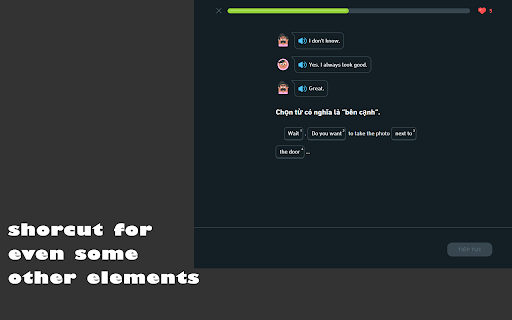
* Automatic shortcuts for wordbanks and other elements
* Auto-click "Next" button for more focus on the exam
-------
[Source of project]: https://gitlab.com/nmhillusion/duolingo-chrome-extension/
| 分类 | ♿无障碍访问 |
| 插件标识 | imkilagmimmnfcicabegllpcfbjkhdci |
| 平台 | Chrome |
| 评分 |
★★★☆☆
3.9
|
| 评分人数 | 7 |
| 插件主页 | https://chromewebstore.google.com/detail/extension-for-duolingo/imkilagmimmnfcicabegllpcfbjkhdci |
| 版本号 | 1.4.5 |
| 大小 | 29.37KiB |
| 官网下载次数 | 2000 |
| 下载地址 | |
| 更新时间 | 2024-11-27 00:00:00 |
CRX扩展文件安装方法
第1步: 打开Chrome浏览器的扩展程序
第2步:
在地址栏输入: chrome://extensions/
第3步: 开启右上角的【开发者模式】
第4步: 重启Chrome浏览器 (重要操作)
第5步: 重新打开扩展程序管理界面
第6步: 将下载的crx文件直接拖入页面完成安装
注意:请确保使用最新版本的Chrome浏览器
同类插件推荐

Duolingo Dark Mode
Dark mode for Duolingo** DEPRECATED - Duolingo now

DuoKB
Changes input for Duolingo without need of switchi

Duolingo Image Hider
When practicing languages at Duolingo, the website

duoleavemealone for Duolingo
Makes Duolingo more user-friendlyThis extension ma

Duolingo Practice Button
Restore the Duolingo practice buttonDuolingo used

Duolingo Annoyance Blocker
Remove annoying stuff from Duolingo such as pop-up

Extension for Duolingo
Extension for Duolingo to support some features li

Duolingo Everywhere
The little green bird will follow you anywhere as

Duolingo Solution Viewer
Provides access to the lists of solutions for Duol

Duolingo Fast Mode
Save time while learning more with less stressFeat

Duolingo Discord
Add flags and other visual cues to Duolingo Discor

Duolingo TTS Controls
Provides playback controls for some of the challen