
Duolingo Fast Mode Chrome 插件, crx 扩展下载
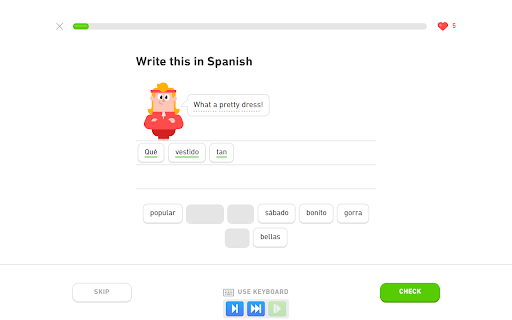
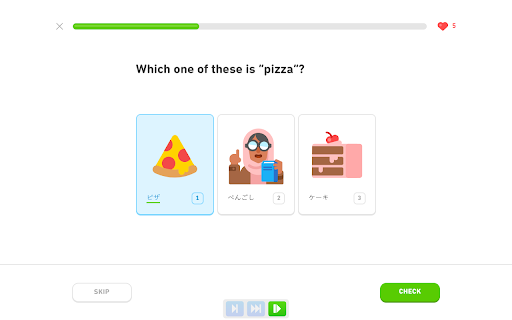
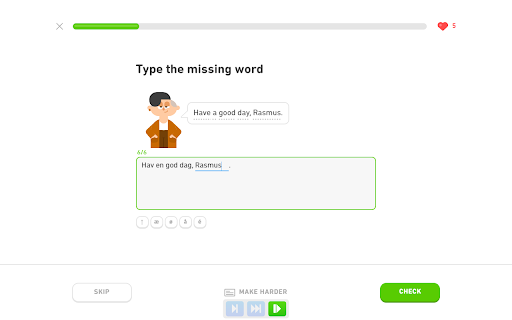
Save time while learning more with less stress
Features
- Provides immediate feedback on correctness
- Auto complete using buttons or hotkeys
- Indicates when the task is safe to check
- Supports all non speaking challenge types
- Enable / disable hinting by challenge type
Options
- Typing : Enable hints for typing exercises
- Wordbank : Enable hints for wordbank exercises
- Native : Enable hints for translations to native language
- Select : Enable hints for option selection exercises
- Confirm : Auto continue exercises after Check button
- Buttons : Display buttons for auto completion
- Hotkeys : Enable hotkeys for auto completion
Hotkeys
Ctrl + RightArrow : Complete next input / character
Ctrl + Shift + RightArrow : Complete next input / word
Shift + RightArrow : Submit Check / Continue
Please note that this extension has no affiliation with Duolingo.
| 分类 | 📚教育 |
| 插件标识 | mhmipgjhaailkgpdknkibeacoifgfddd |
| 平台 | Chrome |
| 评分 |
★★★☆☆
3.3
|
| 评分人数 | 18 |
| 插件主页 | https://chromewebstore.google.com/detail/duolingo-fast-mode/mhmipgjhaailkgpdknkibeacoifgfddd |
| 版本号 | 1.4.4 |
| 大小 | 30.44KiB |
| 官网下载次数 | 813 |
| 下载地址 | |
| 更新时间 | 2025-01-27 00:00:00 |
CRX扩展文件安装方法
第1步: 打开Chrome浏览器的扩展程序
第2步:
在地址栏输入: chrome://extensions/
第3步: 开启右上角的【开发者模式】
第4步: 重启Chrome浏览器 (重要操作)
第5步: 重新打开扩展程序管理界面
第6步: 将下载的crx文件直接拖入页面完成安装
注意:请确保使用最新版本的Chrome浏览器
同类插件推荐

Duolingo Memo
Remembers and auto-fills your answers on Duolingo.

Duo Strength
Adds individual skill strengths back into the duol

Duolingo Annoyance Blocker
Remove annoying stuff from Duolingo such as pop-up

Duolingo Spaced Repetition
A Chrome Browser Extension to Add Spaced Repetitio

Extension for Duolingo
Extension for Duolingo to support some features li

Autolingo
Automatically completes Duolingo lessons so you do

Duolingo Everywhere
The little green bird will follow you anywhere as

Duolingo Solution Viewer
Provides access to the lists of solutions for Duol

Duolingo Fast Mode
Save time while learning more with less stressFeat

Will Save: Duolingo Powered Site Blocker
Blocks time wasting sites until Duolingo reviews a

Duolingo TTS Controls
Provides playback controls for some of the challen

Duolingo Boost
Duolingo Boost enhances Duolingo website for even