
Looker Studio Auto Refresh Chrome 插件, crx 扩展下载
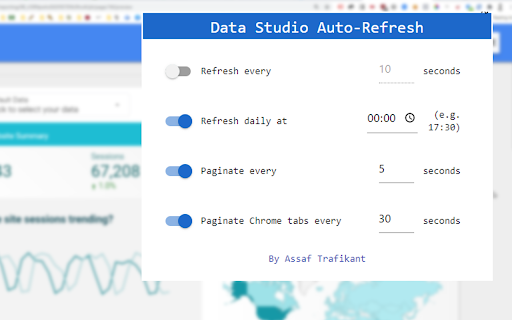

Auto-refresh and automated pagination of your Google Looker Studio reports, on a chosen interval.
???
Auto-refresh & auto page switch your Google Looker Studio reports!
Put your amazing Looker Studio dashboard on a big screen and the extension will take care of the refresh & pagination for all open reports.
1️⃣ Custom interval for data refresh + daily scheduler!
2️⃣ Custom interval for switching pages within a specific report, even on presentation mode.
3️⃣ Custom interval for switching Chrome tabs with different reports opened.
4️⃣ Support 'embed' version of your data studio reports only on Looker Studio domain.
??WARNING ??
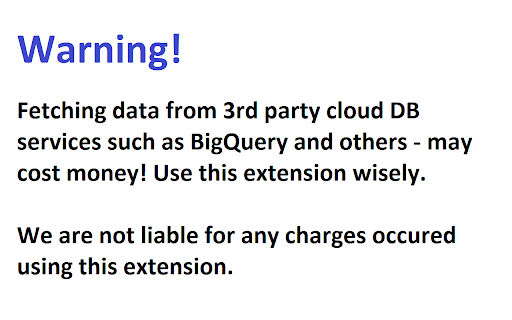
Refreshing reports data from paid cloud DB such as Big Query, cost money. We are not responsible for any costs caused by refreshing the report. By installing the extension you are aware of such costs that might imply. Extensive refreshing may cause unexpected billings!
After the installation:
1. Go to the desired Looker Studio dashboard and refresh it manually (F5)
2. Click the extension icon and adjust the refresh settings.
3. Unfortunately, and until Google will allow, only users with editing privileges can use this extension.
| 分类 | 🛠️工具 |
| 插件标识 | inkgahcdacjcejipadnndepfllmbgoag |
| 平台 | Chrome |
| 评分 |
★★★★☆
4.2
|
| 评分人数 | 533 |
| 插件主页 | https://chromewebstore.google.com/detail/looker-studio-auto-refres/inkgahcdacjcejipadnndepfllmbgoag |
| 版本号 | 96 |
| 大小 | 229KiB |
| 官网下载次数 | 20000 |
| 下载地址 | |
| 更新时间 | 2024-04-22 00:00:00 |
CRX扩展文件安装方法
第1步: 打开Chrome浏览器的扩展程序
第2步:
在地址栏输入: chrome://extensions/
第3步: 开启右上角的【开发者模式】
第4步: 重启Chrome浏览器 (重要操作)
第5步: 重新打开扩展程序管理界面
第6步: 将下载的crx文件直接拖入页面完成安装
注意:请确保使用最新版本的Chrome浏览器
同类插件推荐

自动刷新
自动刷新指定页面,或只刷新非活动标签页面。简单、干净且易于使用的自动刷新扩展。
Looker Studio Auto Refresh
Auto-refresh and automated pagination of your Goog

superQuery - BigQuery AI optimization engine
Powerful BigQuery IDE powered by AI that turns dat
Looker Studio Companion
Boosting Looker Studio (formerly Google Data Studi

Revolver - Tabs
Automatically rotate through open tabs. By Ben Hed

Google Analytics UTM Builder
Add UTMs to URL with this hyper version of Google

Datalayer Checker
The easiest way to debug and check the dataLayer i

TagHound - Analytics/GTM/Pixel Debugger
Debug Google Analytics, Google Tag Manager dataLay

Da Vinci Tools
The Supermetrics Google Marketing Platform power t

GTM Sonar
Debug your page template to see if it works with G

UET Tag Helper (by Microsoft Advertising)
This extension helps to identify issues in Microso

Adswerve - dataLayer Inspector+
DataLayer Tools for Digital AnalystsThe Adswerve d

Google Analytics Debugger
Prints useful information to the JavaScript consol