
TypeLingo Chrome 插件, crx 扩展下载
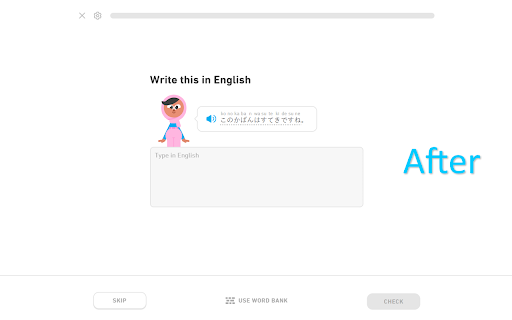

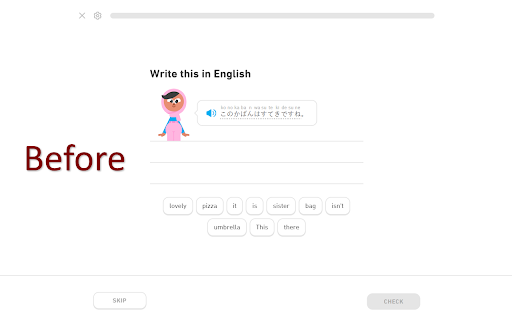
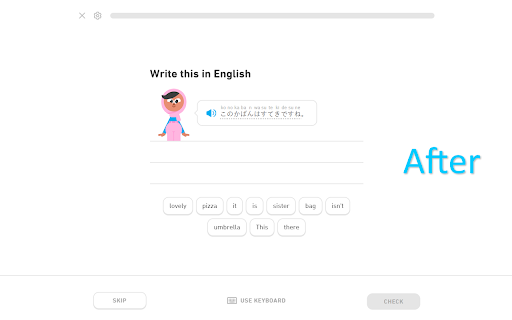
Duolingo typing restored! Get back the ability to type your responses.
Introducing the ultimate solution for Duolingo learners who crave a seamless language learning experience! If you've ever found yourself frustrated by the tedious task of searching for words in the word bank, worry no more.
With just a click, this extension brings back the precious ability to type your responses in Duolingo's "Write this in English" exercise. Say farewell to the word bank's limitations and embrace the keyboard's full potential!
The extension isn't functioning correctly?
Try fully exiting Duolingo, then relaunch.
If that proves futile, wait until a bug fix is available.
| 分类 | 📚教育 |
| 插件标识 | lkfdecookegdklhpafhikjebeflcgepc |
| 平台 | Chrome |
| 评分 |
★★★☆☆
3.3
|
| 评分人数 | 6 |
| 插件主页 | https://chromewebstore.google.com/detail/typelingo/lkfdecookegdklhpafhikjebeflcgepc |
| 版本号 | 1.1.6 |
| 大小 | 22.89KiB |
| 官网下载次数 | 739 |
| 下载地址 | |
| 更新时间 | 2024-07-15 00:00:00 |
CRX扩展文件安装方法
第1步: 打开Chrome浏览器的扩展程序
第2步:
在地址栏输入: chrome://extensions/
第3步: 开启右上角的【开发者模式】
第4步: 重启Chrome浏览器 (重要操作)
第5步: 重新打开扩展程序管理界面
第6步: 将下载的crx文件直接拖入页面完成安装
注意:请确保使用最新版本的Chrome浏览器
同类插件推荐

Duolingo Unicode Normalizer
Automatically normalizes Duolingo answers.Duolingo
TypeLingo
Duolingo typing restored! Get back the ability to

Duolingo Word Bank Dnd
Enables the drag'n'drop of words in the wo

Remove Duolingo cartoons
Remove Duolingo cartoons.Automatically remove cart

duoleavemealone for Duolingo
Makes Duolingo more user-friendlyThis extension ma

Duolingo Practice Button
Restore the Duolingo practice buttonDuolingo used

Duolingo Memo
Remembers and auto-fills your answers on Duolingo.

Duolingo Annoyance Blocker
Remove annoying stuff from Duolingo such as pop-up

Extension for Duolingo
Extension for Duolingo to support some features li

Duolingo Discord
Add flags and other visual cues to Duolingo Discor

Duolingo TTS Controls
Provides playback controls for some of the challen

Constructor YouTrack
Calculate estimationsPlugin for augmenting interna