Canned Responses Pro for Jira Chrome 插件, crx 扩展下载
CRX扩展文件安装方法
第1步: 打开Chrome浏览器的扩展程序
第2步:
在地址栏输入: chrome://extensions/
第3步: 开启右上角的【开发者模式】
第4步: 重启Chrome浏览器 (重要操作)
第5步: 重新打开扩展程序管理界面
第6步: 将下载的crx文件直接拖入页面完成安装
注意:请确保使用最新版本的Chrome浏览器
同类插件推荐

JIRA Watcher
Receive notifications about new items on JIRA site

Jira Alert and Updates
Jira Notifications in your chrome browserJiraAlert

JIRA watcher
Now you will not miss important changes in your JI

jHelper / Jira Helper
jHelper (Jira Helper) will help you manage your Ji

JIRA Template Injector
The description field of new JIRA issues will auto

Night Mode for Jira
Take care of your eyes day and night using dark th

Description & Comment Templates for Jira
This extension allows you to create and use templa

New Status Colors PRO for JIRA Cloud
This extension allows you to customize the colors
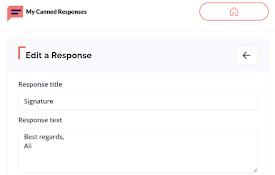
My Canned Responses
Create and manage your canned response templates e
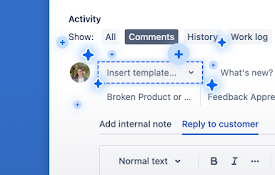
Canned Responses Pro for Jira
Companion extension for Canned Responses Pro for J

JIRA Notifier
Allows you to receive notifications from your JIRA

Quick JIRA
Quickly opens the JIRA with the corresponding tick

AgileMana JIRA assistant
Integrates with both JIRA cloud and JIRA server, a