
CloudKeeper - Credential Helper Chrome 插件, crx 扩展下载
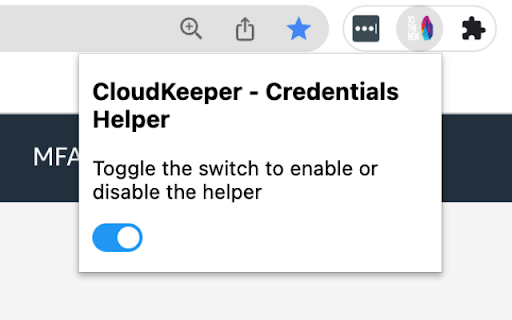
AWS SSO External AWS Account - STS Keys Generator
If you're using an external AWS account in AWS SSO, there is no way for you to retrieve the CLI credentials for the role. The workaround suggested by AWS is to use AWS CloudShell.
This Credential Helper extension allows you to retrieve the CLI credentials by passing the SAML Assertion to AWS Security Token Service.
To use this extension:
1. Click on the external AWS account you wish to log into
2. Once the console opens, click on the extension and the popup will appear
3. Your credentials will be available there for you to copy
4. Copy the credentials to your local AWS credentials file
5. Use the AWS CLI from your local machine
Note: This extension does not collect any data. The credentials are available to view only once and are deleted once the popup is closed.
| 分类 | 💻开发者工具 |
| 插件标识 | mpljkpamdjfdjmfcpnlmhhakbjigjjcd |
| 平台 | Chrome |
| 评分 |
★★☆☆☆
2.2
|
| 评分人数 | 33 |
| 插件主页 | https://chromewebstore.google.com/detail/cloudkeeper-credential-he/mpljkpamdjfdjmfcpnlmhhakbjigjjcd |
| 版本号 | 1.3.0 |
| 大小 | 827KiB |
| 官网下载次数 | 1000 |
| 下载地址 | |
| 更新时间 | 2024-08-28 00:00:00 |
CRX扩展文件安装方法
第1步: 打开Chrome浏览器的扩展程序
第2步:
在地址栏输入: chrome://extensions/
第3步: 开启右上角的【开发者模式】
第4步: 重启Chrome浏览器 (重要操作)
第5步: 重新打开扩展程序管理界面
第6步: 将下载的crx文件直接拖入页面完成安装
注意:请确保使用最新版本的Chrome浏览器
同类插件推荐

CloudKeeper Tuner
Engineering ProductivityCloudKeeper Tuner is your

The Last Sunday: Plan, Achieve, Live Fully
Live life to the fullest. See your remaining Sunda
CloudKeeper - Credential Helper
AWS SSO External AWS Account - STS Keys GeneratorI

SAML to AWS STS Keys Conversion Multi Profile
Generates credential/config file with multiple AWS

AWS SAML Keys
Generate AWS access keys from a SAML login to the

SAML Assertion to AWS STS Assumption
Assumes an STS role and produces usable session cr

WhatsApp ChatShield And Quick Chat
Enhance your WhatsApp privacy on WhatsApp Web and
JumpCloud Password Manager
Securely manage and share passwords & 2FA with

SAML to AWS STS Keys Conversion
Generates file with AWS STS Keys after logging in

AWS Extend Switch Roles
Extend your AWS IAM switching roles. You can set t

Debugger for Google Analytics 4 (GA4)
Browser DevTools extension for debugging Google An
AWS Account Labeler
Customize and display labels for different AWS acc

Elasticvue
Elasticsearch frontendElasticvue is a free and ope